
The pitch is a connected production workflow
ASUS's September 11 IBC announcement brings its ProArt creator hardware into a broadcast and video-production setting. The Amsterdam event runs September 11–14. The company describes on-device AI, remote workstation access and video-generation demonstrations, alongside professional monitors.
The lineup includes the ProArt P16 and P14 RTX Spark laptops and GR1X mini PC. These are not all September 11 hardware launches: ASUS had already announced those three platforms at its September 2 IFA showcase. This week's news is their presentation within a wider production workflow.
For readers, that change in setting matters. A quick demonstration answers whether something can be shown. A working studio asks whether the same operation fits a project that must be revised, checked and delivered. We have not attended the demonstration or independently benchmarked the systems.
Sources: ASUS: ProArt creator showcase at IBC 2026; ASUS: earlier ProArt IFA announcement, September 2
Local, remote and cloud are not interchangeable
ASUS's IFA announcement positioned the new platforms around AI workflows running directly on a PC. At IBC, the company also describes remote access to a workstation and a hybrid software ecosystem. These are different operating arrangements, even when they appear behind a similar interface.
A useful way to read the distinction is to ask where each job runs. Processing on the computer in front of you is local. A lightweight device controlling a workstation elsewhere is remote access. A service operated by an outside provider is a separate arrangement again. A single project may involve all three.
Our assessment is that the phrase local AI should start a question, not end it. A team should check the particular application, model and feature it uses, including whether an operation needs an external service. A hardware capability alone cannot describe the behaviour of every piece of software installed on the machine.
For an illustrative editing assignment, generating a temporary concept image and processing confidential interview footage may involve very different expectations. The right workflow follows the sensitivity and purpose of the material. It should not be chosen merely because two features carry the same AI label.
Sources: ASUS: ProArt creator showcase at IBC 2026; ASUS: earlier ProArt IFA announcement, September 2
An AI workstation still needs a trustworthy image pipeline
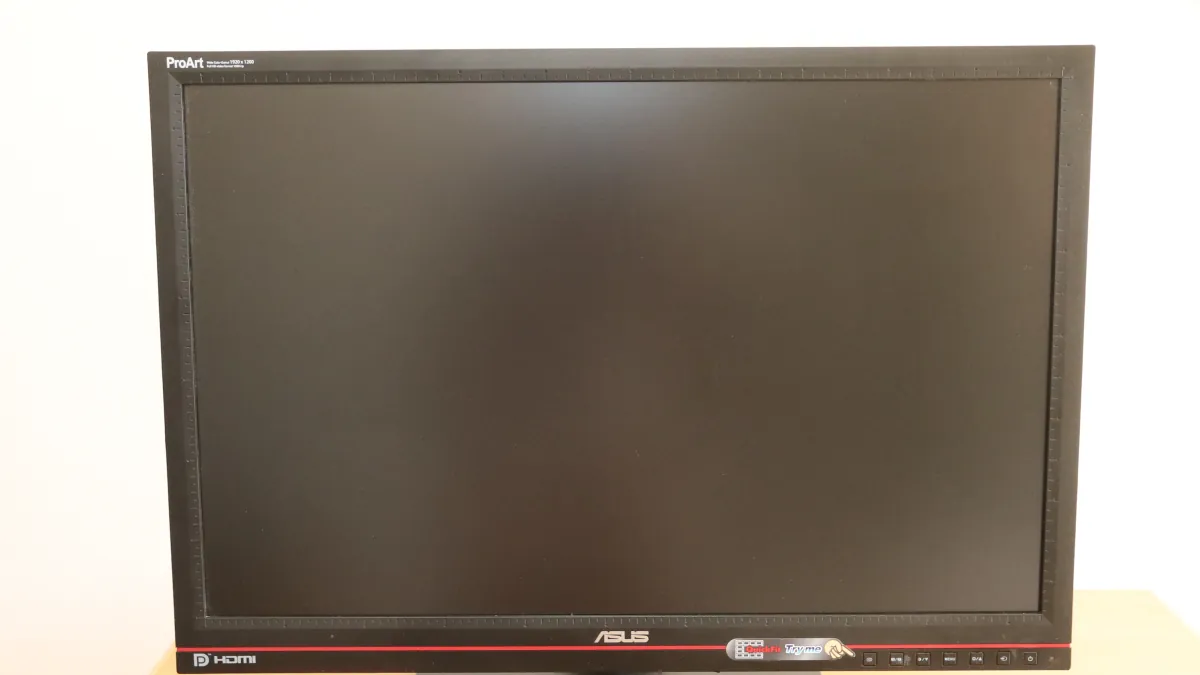
The IBC display lineup includes the PA27UCDV 4K QD-OLED monitor and SDI-equipped PA27USD and PA32USD production displays. Those are manufacturer-announced products and capabilities, not monitors tested by Lumacta. Our accompanying photograph shows an older PA246Q for brand context, not one of these new models.
Adobe's color-management documentation separates how incoming material is interpreted, the space used for processing and the output delivered. Its workflows cover different source formats and both standard- and high-dynamic-range destinations. That technical background is independent of ASUS's hardware demonstration; it is not a review of the displays.
Our interpretation is straightforward: an attractive preview does not settle whether an image is being interpreted correctly for its intended destination. The production task includes preserving the relationship between source material, working settings, display and final export. Faster generation does not remove that chain of decisions.
Sources: ASUS: ProArt creator showcase at IBC 2026; Adobe Premiere: color management explained
Missing metadata can turn a polished preview into the wrong result
Adobe also explains that some camera-specific color spaces cannot be identified automatically when necessary metadata is absent. In those cases, the source needs the appropriate manual color-space assignment. Its documentation describes how tone-mapping choices affect the conversion of material for a different output range.
For illustration, two clips can look inconsistent because they entered the project with different interpretations, not because the computer lacks AI performance. Spending less time on a generated effect will not correct that mismatch. The relevant fix begins with identifying the source and the intended pipeline.
This is why we would evaluate creative assistance inside a complete sequence. Include original footage, graphics, titles, audio, effects and the required export. A result that looks acceptable in a small preview may need further work at delivery size. That proposed check is about workflow quality; it is not a claim that the showcased hardware produces a particular defect.
Sources: Adobe Premiere: color-management options and source metadata
Scientific perspective: measure time to an accepted result
Lumacta's evidence-based assessment—not an independent hardware review—is that the most informative unit is a finished, acceptable task. A peak AI-compute figure cannot by itself tell a filmmaker how quickly an edit will be approved. The test needs both a quality requirement and a complete start-to-finish boundary.
We would compare the same source files, application versions, settings and output requirements across systems. Count setup, processing, corrections and export, then repeat the work long enough to expose variability. Record failed runs as well as the best demonstration. These are our proposed evaluation criteria, not measurements supplied by ASUS.
For a generated shot, that might mean judging whether a chosen character remains consistent, whether motion remains plausible and how many revisions are required before the shot belongs in the edit. A faster first attempt could be genuinely useful—or could transfer time into checking and repair. Only the complete task distinguishes those outcomes.
The same reasoning applies to economics. A studio should compare the resources consumed by an accepted deliverable, including staff effort, rather than treating an isolated speed claim as a guaranteed saving. This article provides a way to interpret demonstrations, not a recommendation to buy a particular configuration.
Sources: ASUS: ProArt creator showcase at IBC 2026; Adobe Premiere: color management explained; Adobe Premiere: color-management options and source metadata
The next useful evidence comes from real projects
Our conclusion is that ASUS is addressing a relevant problem: creative computing does not happen in one application or on one component. The combination of local processing, remote access and production displays is worth following because it connects several stages that creators already have to manage.
The remaining question is how consistently those stages work together outside a curated demonstration. Independent tests should include compatibility with the tools a studio already relies on, the handling of large projects and the behaviour of repeated jobs. Availability and configuration also need checking in the market where the equipment would actually be used.
The most promising outcome is not an AI label on every box. It is less friction between an idea and a reliable finished piece of work. IBC offers a view of the direction manufacturers want to take. Evidence from complete, repeatable production tasks will show how far they have travelled.
Sources: ASUS: ProArt creator showcase at IBC 2026; ASUS: earlier ProArt IFA announcement, September 2
An executed edit: originals, proxies and two checked deliveries
On October 1 we ran a small, original software demonstration using FFmpeg 9.0.1 and ffprobe on an ARM64 Mac. We generated two synthetic test clips, built proxies, cut a six-second sequence, rendered from the originals and exported horizontal and vertical copies. No ProArt machine, interview footage, camera test, AI model or transcription service was used. This demonstrates the editing pipeline around an AI task; it does not measure ASUS performance or local-AI capability.
| Stage | Recorded result | Operation and boundary |
|---|---|---|
| Generated inputs | Two 4-second 3840 × 2160 clips; 100 frames each at 25fps. | Synthetic moving pattern A and bars B; labelled in the picture. H.264, 8-bit 4:2:0; mono 48 kHz test tones. |
| Proxy edit | 960 × 540 · 150 frames · 6.00 s | 960 × 540 proxies retained every source frame. The edit kept A frames 25–99 and B frames 0–74: 75 + 75 frames. |
| Relinked master | 1920 × 1080 · 150 frames · 6.00 s | Rendered the same frame intervals from the 4K originals to an FFV1/PCM Matroska master. No proxy upscaling was used for the master. |
| Viewing copy | 1920 × 1080 · 150 frames · 6.00 s | H.264/AAC MP4, with explicit BT.709 matrix, transfer and primaries labels; fully decoded without reported errors. |
| Vertical version | 1080 × 1920 · 150 frames · 6.00 s | Rendered from the originals with a fixed central 1080 × 1920 crop. It passed dimension/frame checks; the crop is visible in the separate file. |
One deliberate mistake, and one real export failure
We submitted the 960 × 540 proxy edit to the 1920 × 1080 delivery validator. It was rejected for dimensions, even though it already contained 150 frames over six seconds. Rendering the timeline from the originals passed that check. That catches a concrete delivery mistake: a complete-looking edit can still be the wrong file.
The first master also failed our colour-tag check: ffprobe reported the BT.709 matrix and limited range, but no transfer-function or primaries labels. We added frame-level setparams before encoding and reran the workflow. The final master and both delivery files reported all three BT.709 fields. This is a metadata finding, not evidence that a monitor was calibrated or that a log/HDR camera image was transformed correctly.
Repeat the part that is inspectable
The reproduction script records the generators, frame trims, proxy dimensions, codecs and output checks. With Node.js and a compatible FFmpeg/ffprobe installation, run node reproduce-workflow.mjs; it creates a new temporary output directory and never overwrites existing footage. The timeline and execution record provide the input/output hashes, versions, successful decode checks and acceptance results. Different encoder versions can change binary hashes; compare the stated properties as well.
Horizontal viewing copy · MP4 · Separate vertical crop · MP4. The fixed crop discards the sides of the frame. In a real interview, that decision needs shot-by-shot review; a valid 9:16 file does not prove that faces, titles or gestures fit.
Both copies had 150 decoded video frames at 25fps, six-second video duration and mono 48 kHz audio, within the stated duration tolerance. We did not measure perceptual audio/video synchronization, display accuracy, speech-transcript quality, sustained speed or human review time. The fixture is 8-bit 4:2:0, so it says nothing about decoding heavier 10-bit 4:2:2 camera footage.
The useful lesson for the ProArt story is where to insert a real AI operation: between verified ingest and this checked delivery boundary. Keep the originals and edit decisions, then record what the AI stage changes and what a person corrects. Our executed example settles the surrounding file operations only; model quality, local/remote execution and the time to an accepted client deliverable remain unmeasured. FFmpeg filter documentation · ffprobe documentation.
Sources & Methods
Published reporting is retained. The October 1 addition replaces the September 23 hypothetical editing checklist with an executed original FFmpeg/ffprobe workflow using labelled synthetic 4K test clips, proxies, a six-second edit, original-source master and horizontal/vertical exports; versions, hashes, a rejected proxy, an initial missing-colour-tag failure and final checks are recorded. No ProArt machine, camera footage, AI model, transcription, speed benchmark, editor GUI, display calibration or perceptual AV-sync test was used. This software fixture does not validate ASUS product claims or decoding/editing performance on actual camera footage.
- ASUS: ProArt creator showcase at IBC 2026 — Manufacturer announcement
- ASUS: earlier ProArt IFA announcement, September 2 — Manufacturer announcement and chronology
- Adobe Premiere: color management explained — Technical documentation
- Adobe Premiere: color-management options and source metadata — Technical documentation
- FFmpeg: filter documentation — Primary documentation for synthetic generators, frame trims, timestamp reset, scaling, crop, colour labels and concatenation; checked October 1, 2026
- FFmpeg: ffprobe documentation — Primary documentation for recorded stream properties and decoded frame counts; checked October 1, 2026