
Start with the account you would need first
Imagine that your phone disappears during a trip. The immediate question is which account you need first: the email account that receives recovery messages, the manager holding your credentials, or a work account needed to contact someone. An impressive sign-in demonstration does not answer that question. A useful plan names the first working route back to an essential service.
FIDO’s consumer deployment guidance distinguishes losing a device from losing access to the provider that holds synced passkeys. That distinction gives this guide its organizing question: what remains available after the particular failure you are planning for? We are proposing a planning method, not reporting a successful recovery exercise or a new product launch.
Choose three critical accounts and use neutral labels on your private worksheet. For each, identify where its credential lives, which other device can use it, and what the service says happens if ordinary authentication is unavailable. Keep passwords, PINs and actual recovery material out of that worksheet. The purpose is to expose dependencies without creating another collection of secrets.
Source notes: 1. Original editorial interpretation and hypothetical examples are identified in the text.
Understand the protection and its boundary
WebAuthn uses public-key credentials scoped to a relying party, the service requesting authentication. Local user verification can authorize their use without sending a fingerprint or face image to the website. The standard also distinguishes a credential that is eligible for backup from one that is actually backed up. A capability flag does not prove that your spare device already has usable access.
NIST’s final 2025 authentication guidance treats manually entered one-time codes as phishable: an impostor can relay them because their entry is not bound to the intended authentication session. Its government assurance requirements are not a certification of every consumer account. We use that distinction to explain why password-plus-TOTP and a correctly implemented passkey address different threats.
For the reader, the practical boundary is straightforward. A stronger ordinary sign-in method does not establish how a locked account will be restored, whether an unfamiliar device can decrypt a synced credential, or what an organization permits. Write those as separate questions. Do not interpret the word passkey as evidence that every surrounding account, recovery and device process has been tested.
Source notes: 2, 3. Original editorial interpretation and hypothetical examples are identified in the text.
Compare failure paths before choosing a method
A synced passkey and a device-bound passkey are both passkeys, but their availability differs. FIDO describes credentials that can synchronize through a provider and credentials that remain on one device, including compatible security keys. A physical token is not automatically evidence of the exact passkey capability, firmware or account support you need.
Our comparison below is a planning framework. It separates everyday convenience, a remaining dependency and a preparation task. It is not a security score, a ranking of brands or the result of matched tests. Where a service offers several methods, prefer a small set you understand and can maintain rather than accumulating unnamed old credentials.
The mixed option is useful only when its alternatives actually cover different failures. A second phone signed into the same provider can help after one device is lost. It does not, by itself, demonstrate independence from that provider account. A separate registered credential may cover another failure, but only if the service supports it and you can find it when needed.
Lumacta editorial planning framework. Capabilities depend on the service and authenticator; these are not measurements or a brand ranking. Read all four columns by scrolling horizontally.
| Arrangement | Everyday role | Remaining dependency | Preparation to investigate |
|---|---|---|---|
| Synced passkey | Use through a supported credential provider | Provider access and recovery | Identify the provider and an available alternate route. |
| Device-bound passkey on compatible hardware | Use a credential kept on one authenticator | Loss or damage of the sole registered authenticator | Register and check a separately stored spare where supported. |
| Password plus TOTP | Use an additional manually entered factor | Code relay and recovery of the app or account | Understand supported recovery; keep access independently available. |
| Mixed arrangement | Cover different practical failures | More methods require clear maintenance | Document each registered method and the failure it addresses. |
Source notes: 14, 3. Original editorial interpretation and hypothetical examples are identified in the text.
The provider account is part of the recovery map
Apple describes iCloud Keychain synchronization and an escrow recovery process with specific requirements: account authentication, verification through the registered phone number and the device passcode. It is a provider-specific process, not a promise that every account will always be recoverable. Record the applicable support page while you can still inspect your account and devices.
Google documents end-to-end encrypted passkey synchronization through Google Password Manager. In a new environment, decrypting a synced passkey requires Google Account access and the Android screen lock or Google Password Manager PIN. Remembering the name of a cloud account therefore does not, on its own, describe everything needed to regain usable credentials.
Draw an arrow from each essential service to the account or device needed to regain it. If your email account unlocks your manager and the only email credential is inside that manager, mark the relationship as a question to resolve. This is a suggested dependency check, not evidence that every such configuration necessarily fails; the available independent alternatives decide the outcome.
Source notes: 4, 5. Original editorial interpretation and hypothetical examples are identified in the text.
Keep nearby sign-in, synchronization and transfer distinct
Google’s documented cross-device flow can use a phone’s passkey to authenticate on another device through a nearby QR-code interaction. That does not establish that the other computer now stores the credential. During a rehearsal, note whether the supposedly independent login quietly asked for the original phone. If it did, record that dependency honestly.
Synchronization makes a credential available through the same provider in supported environments. Provider-to-provider transfer is a different operation. Current Chrome help explicitly describes app-to-app import and export of passwords and passkeys on Android and iOS; its desktop CSV instructions concern passwords. The old blanket claim that synced passkeys can never be exported is no longer a useful planning premise.
The opposite blanket promise would also be wrong. Check the exact source app, destination app, operating system, account type and current instructions before planning a move. A standards effort, a vendor membership list or another person’s successful migration is not proof that your particular pair works. Keep the source available until the destination has demonstrated the sign-in you actually need.
Source notes: 5, 6. Original editorial interpretation and hypothetical examples are identified in the text.
An export file is not a universal recovery package
1Password’s current export documentation supports passkey transfer through Credential Exchange on iOS or iPadOS 26 and later, and Android 14 and later. It says passkeys cannot currently be exported through its desktop applications. Desktop .1pux and CSV exports therefore should not be described as passkey backups. Its exported data files are plaintext; a migration plan must account for their exposure.
Bitwarden documents stored passkeys in JSON exports, with CSV excluding them. Its account-restricted encrypted export can be restored only to the originating account; recreating an account with the same email does not make it that account. It offers a password-protected export for another Bitwarden account. For passkeys created before Bitwarden 2024.3.1, it warns that changing counters make historical exports unsuitable as long-term backups. Format and restoration destination both matter.
These examples are not a recommendation to export everything. They show why the word backup is insufficient as a completion criterion. For a necessary move, identify what the chosen format contains, where it can be imported, what protects it and which supported login will confirm success. An item count or a file on disk answers only part of that question. Use the provider’s current instructions for the actual operation.
Source notes: 8, 9. Original editorial interpretation and hypothetical examples are identified in the text.
A spare security key must already be registered
A compatible hardware authenticator can provide a separate place to keep a device-bound credential. Buying an unopened spare does not enroll it in any account. Our planning recommendation is to register each intended alternate through the service’s supported process, check an ordinary sign-in and keep the spare separately from the device or key it is meant to replace.
Some account modes have particularly consequential requirements. Apple’s optional Security Keys for Apple Account requires at least two compatible FIDO-certified keys. Apple warns that losing every trusted device and key can permanently lock the account. Treat enabling that mode as a deliberate recovery decision, rather than a casual one-key upgrade. This requirement is specific to that Apple Account feature.
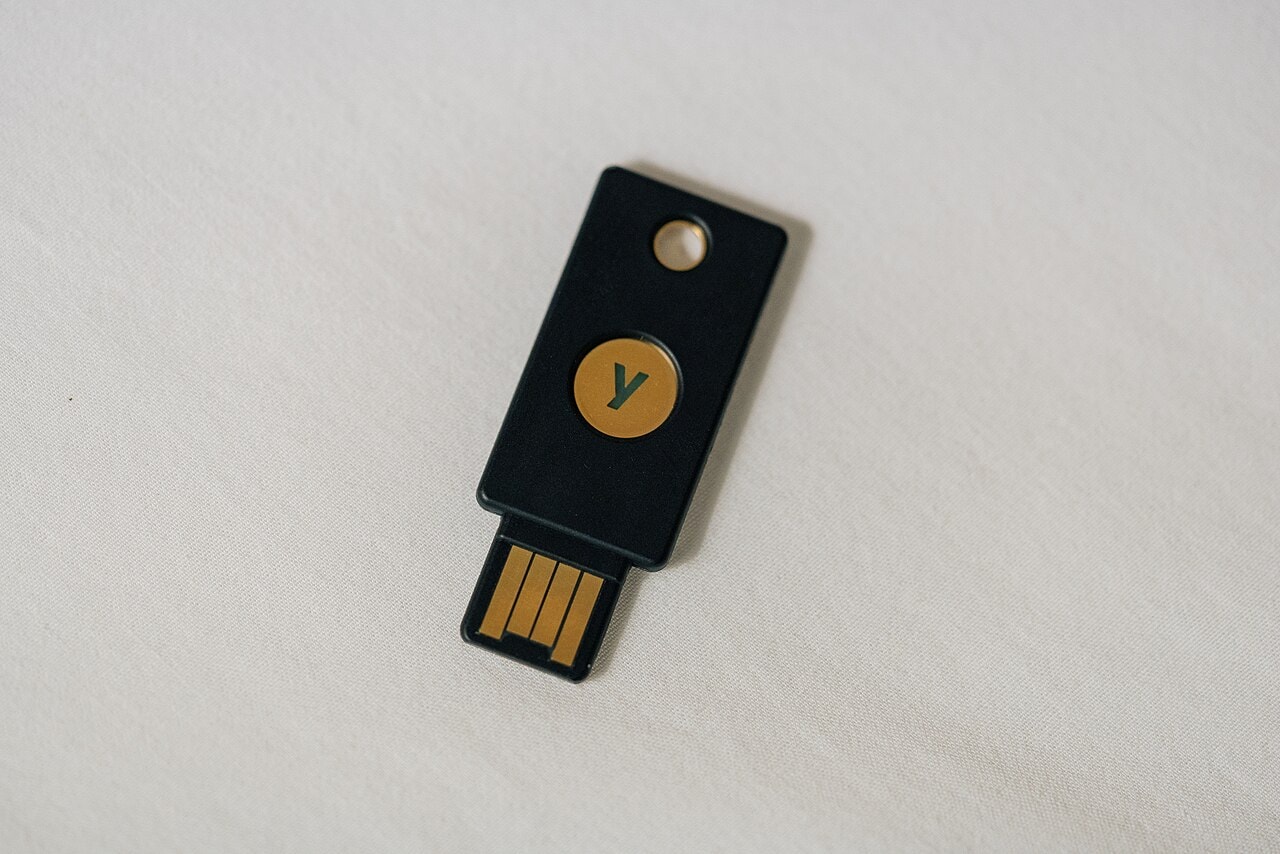
Start with the equipment and supported methods you already have. If hardware is needed, verify connectors, supported account modes and the complete spare arrangement before buying. The archive photograph in this guide is hardware context only. Its age and appearance do not establish support for a present-day passkey feature, and we have not tested the photographed token or any current replacement.
Source notes: 10, 14. Original editorial interpretation and hypothetical examples are identified in the text.
Review the fallback methods and the people using the device
Google’s account help says that adding a passkey does not remove existing authentication or recovery factors. It also cautions against creating one on a shared device, because someone who can unlock that device may gain access. Review the actual account settings instead of assuming that a passkey enrollment has silently replaced every older route.
Microsoft distinguishes passkeys saved locally in Windows from credentials supplied by a synced manager. Its management guidance also advises adding new account information before removing an old method, and notes that an organization can restrict passkey services. A work or school account therefore needs its administrator’s supported process rather than an improvised copy of a personal-account tutorial.
List each remaining route and the person who can use it. An old phone number, a shared computer or a family member’s device may deserve attention for different reasons. Our recommendation is to resolve uncertainty one account at a time, while a known working method remains available. Do not remove all fallback methods, disable multifactor authentication or erase a device to make the plan look cleaner.
Source notes: 11, 7. Original editorial interpretation and hypothetical examples are identified in the text.
Give a recovery contact a defined role
Apple’s recovery-contact guidance describes a person who can provide a recovery code without gaining access to the account or its data. Where an invitation requires acceptance, entering a name is not the same as establishing a usable contact. A designated person also needs to understand what help they may be asked to provide and how you will reach them.
Our suggested conversation is deliberately modest: confirm that the arrangement exists, that the person is willing to help and that an independent contact route is available. Do not ask them to collect your passwords or photograph recovery material. Also check whether any advanced protection mode changes the recovery requirements for your own account; do not assume that every Apple security feature shares an identical recovery process.
Source notes: 12, 4. Original editorial interpretation and hypothetical examples are identified in the text.
Walk through three failures separately
Consider a fictional account called Project Mail. In the first scenario, its phone is lost but its credential provider remains accessible. The useful evidence would be a supported second device or registered alternative that can complete an ordinary sign-in. Merely seeing the account name on that device is not a completed check. The account and scenario are fictional.
In the second scenario, the provider account is unavailable or you are leaving its ecosystem. A second synchronized device may share the same dependency, while a documented transfer could require access to the source before the loss occurs. Decide which route addresses this scenario while everything still works. Avoid treating migration instructions as an emergency recovery promise.
In the third scenario, all ordinary authenticators are unavailable. Follow the service’s published recovery description on paper: identify prerequisites, people and independently available material. Mark any missing prerequisite as unresolved. Do not assume that support can always override it. The three scenarios produce different questions, which is precisely why one successful everyday login is insufficient evidence for the whole plan.
Source notes: 1, 5, 7. Original editorial interpretation and hypothetical examples are identified in the text.
Rehearse without locking yourself out
This is our proposed, non-destructive rehearsal, not a vendor procedure or a report of Lumacta testing. Keep the primary device and an existing authenticated session available. Choose a familiar, correct service address and an account that permits the intended alternative. Stop if the process proposes deleting a credential, disabling protection, resetting a device or initiating a recovery action you do not understand.
First, inspect the saved credential and identify its provider. Second, inspect the service’s registered methods. Third, use an existing second trusted device for a normal sign-in with the intended alternate. Note any request for the first phone, provider account or other dependency. Do not deliberately enter incorrect PINs or recovery attempts to explore limits; that could consume limited attempts or trigger a lockout.
Fourth, record what actually succeeded, with the date and relevant app or operating-system versions. Fifth, locate the official all-devices-lost recovery instructions and walk through their prerequisites without triggering recovery. Sixth, confirm that any intended spare or contact can be reached independently. The worksheet below records evidence and unresolved questions; it never needs the secrets themselves.
A successful rehearsal supports a narrow statement: this registered method completed this normal sign-in under these conditions. It is not proof of recovery after a total device loss, a compromised provider, a future policy change or an unattended emergency. Repeat the relevant part after a device replacement, provider migration or other meaningful account change rather than assuming the old observation remains current indefinitely.
| Record | Fictional example | What would count as useful evidence |
|---|---|---|
| Account label | Project Mail | A neutral private label; no real identifier needed here. |
| Credential storage | Provider A; synchronized | The actual manager identified on your own trusted device. |
| Alternate route | Registered spare, where supported | A normal sign-in completed without the missing phone. |
| Recovery reference | Official service support page | Prerequisites identified without triggering recovery. |
| Unresolved dependency | Provider access still required | A specific question to resolve while the primary route works. |
| Review record | Date and relevant versions | What was actually checked, including any QR-phone dependency. |
Source notes: 2, 4, 7, 11. Original editorial interpretation and hypothetical examples are identified in the text.
Finish a migration at the destination service
For a planned migration, first confirm current support in both managers and keep the existing working arrangement available. Where a transfer is supported and necessary, begin with a noncritical item and use the providers’ documented flow. Then verify an ordinary sign-in at the correct service using the destination. An export notification or imported-item total is not that verification.
Keep a separate list of items requiring a newly registered credential or another supported method. Do not assume that a password CSV contains passkeys, that an encrypted file restores to every account, or that every historical credential has the same restoration properties. Those are documented differences, not defects established by our own comparison.
Only after the intended route works should you consider service-side removal of an obsolete credential and cleanup in its storage provider. Microsoft explicitly treats account-side and saved-credential management as distinct operations. Follow the relevant current instructions and retain another working route. For suspected compromise, use the service’s incident guidance; a tidy credential list alone is not evidence that every existing session has ended.
Source notes: 6, 8, 9, 7. Original editorial interpretation and hypothetical examples are identified in the text.
Choose the arrangement you can explain and maintain
For someone using several devices within a supported provider, synced passkeys can make everyday access and single-device replacement easier to manage. The practical next step is to understand access to that provider and its recovery prerequisites. For an account that supports a separate hardware alternative, a registered and accessible spare can address another failure path. Neither arrangement removes the need to understand the service’s recovery rules.
A person with mixed personal and managed work accounts may need different arrangements, rather than one universal manager or token. Someone who changes ecosystems frequently should investigate current transfer support before the move. Where passkeys are unavailable, understand the supported multifactor and recovery options without pretending that a manually entered code has the same phishing resistance.
The useful outcome is a short, honest record: where each critical credential lives, which alternative has actually worked and what remains unresolved if both disappear. You do not need to replace every device or move every account in one afternoon. Begin with the account that unlocks the rest, preserve a working route and improve the plan with specific evidence.
Source notes: 1, 10. Original editorial interpretation and hypothetical examples are identified in the text.
Sources & Methods
Documentation-based In Depth guide prepared October 27, 2026. It compares FIDO/W3C/NIST references with current Apple, Google, Microsoft, 1Password and Bitwarden instructions. No accounts were restored, credentials exported or devices tested for this article. The comparison, fictional scenarios and no-secret worksheet are original editorial planning aids, not measured security results. Undated support documents are identified by access date; the guide is not presented as a new passkey launch.
- FIDO consumer deployment and recovery considerations — Primary industry guidance; cover January 2024; read October 27, 2026
- W3C WebAuthn Level 3 — Primary standard; Recommendation August 25, 2026
- NIST SP 800-63B-4 final authentication guidance — Primary final 2025 standard; government scope; read October 27, 2026
- Apple passkey security and iCloud Keychain recovery — Primary support reference; September 16, 2024; read October 27, 2026
- Google passkey environments and synchronization — Primary implementation reference; read October 27, 2026
- Chrome credential transfer: Android and platform-specific instructions — Primary support reference; undated; Android/iOS/computer variants read October 27, 2026
- Microsoft saved-passkey management — Primary support reference; undated; read October 27, 2026
- 1Password export formats and mobile passkey transfer — Primary support reference; read October 27, 2026
- Bitwarden export formats and restoration restrictions — Primary support reference; read October 27, 2026
- Apple Account security-key requirements and lockout warning — Primary support reference; read October 27, 2026
- Google Account passkeys, shared devices and existing factors — Primary support reference; undated; read October 27, 2026
- Apple account recovery contacts — Primary support reference; read October 27, 2026
- Tony Webster archive photograph and licence record — Primary photograph record; captured January 25, 2019; CC BY 2.0
- FIDO passkey definitions and device-bound credentials — Primary terminology reference; read October 27, 2026
