
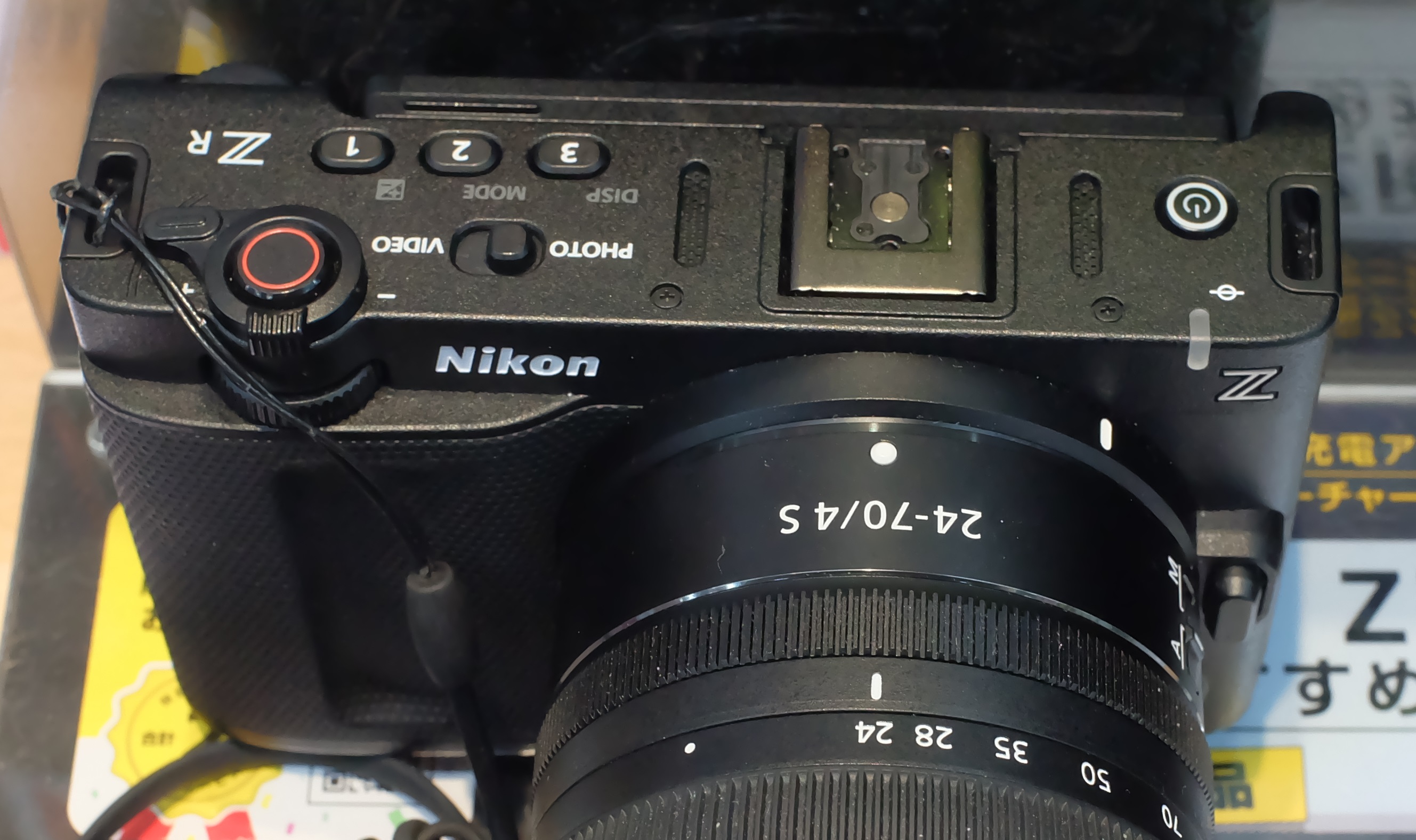
Nikon’s announced update becomes a download
Nikon has released ZR firmware 2.00, with its Download Center dating the update November 24. H.265 10-bit recording gains a Log3G10 tone option. For a filmmaker choosing a recording format, the useful question is whether a more economical capture workflow can support the look and delivery the job needs.
Independent coverage by Imaging Resource on November 17 had described the planned release date and recording changes. The current download listing supplies the newer evidence that owners can obtain version 2.00. Some regional promotional pages still say the download is coming soon, so the dated Download Center record is the clearer reference for availability.
The most useful way to read this release is as a set of production choices. Decide what you need to record, what the operator and client need to see, and which settings must survive the change. Those are related jobs, but an attractive preview cannot answer all three.
Choose the recording workflow before the look
Nikon’s UK feature page pairs Log3G10 with REDWideGamutRGB in H.265. That connects a log curve and color gamut with a compressed recording option. The format choice still deserves its own decision: how will the editor open the material, manage its color and judge a finished result?
For example, a small crew might want to hand over a long interview quickly while keeping room to establish a consistent appearance later. Before making that the default, send a short representative clip through the actual editor’s workflow. Confirm that the image is interpreted deliberately, then check export and review. This is a proposed acceptance check, rather than a claim about a measured speed or quality gain.
A different job may require extensive changes after capture. Write down those requirements before choosing the format. A familiar-looking graded image does not establish that two recording formats preserve the same information. Match the decision to the changes the production expects to make, the storage it can maintain and the software used at handover.
Give the preview its own check
The update adds focus peaking with a LUT enabled and permits a 3D LUT on HDMI output. These controls matter when the person judging focus and the person approving the image are looking at different screens. They should agree about which image is a viewing treatment and which file is being recorded.
Nikon specifies an important limit: applying a LUT to HDMI restricts output to Full HD. At 50p or 60p, the image refresh rate is halved even though the output frame rate remains unchanged. The company also warns that HDMI can disconnect depending on video settings.
Put that condition on the equipment checklist. If an external display also records the feed, inspect a short captured file as well as the live picture. A monitor that displays an image has proved only one part of the route. The recorder, resolution, motion and intended viewing treatment need to agree before the setup is used for a job.
Use a moving subject for that check. A still frame can make a preview look satisfactory while leaving a motion problem undiscovered. Keep the test clip with the settings record so another operator can reproduce the arrangement.
Decide how much processing belongs in the file
The release notes add High ISO NR to N-Log recording in H.265 10-bit and ProRes 422 HQ 10-bit. Nikon also reports reduced noise in dark video areas. Treat the latter as the manufacturer’s stated change; the download record supplies no measured improvement for a particular scene.
A useful comparison would keep the light, exposure, framing and final viewing size consistent. Look at fine texture as well as a smooth dark area. Then assess the version the audience will actually see. A pleasing camera-screen preview and a satisfactory delivered file are separate observations.
The control changes also invite a rehearsal. Build a repeatable order for exposure, white balance and monitoring, and make sure the person operating the camera knows which dial changes which value. An update becomes useful when it removes a specific interruption in the operator’s work, rather than merely adding another available setting.
Keep the next firmware promise on its own timeline
Open-gate recording and an anamorphic desqueeze display remain separate development targets. Nikon’s September 8 announcement places their intended introduction in 2027. They are absent from the released 2.00 change list. PetaPixel’s November 4 coverage also kept those future additions separate from this update.
For a project that depends on one of those functions, the next useful event is a released specification and compatible workflow. A development target can help an owner decide what to watch, but a production schedule needs a capability that can be checked now. Avoid building a paid assignment around a future menu item.
That leaves a clear decision today: assess the recording, processing and monitoring choices that actually shipped. Revisit the rest when Nikon publishes the relevant release and its conditions.
Make the update a controlled change
Nikon cautions against updating with non-NIKKOR Z-mount lenses or mount adapters other than FTZ II or FTZ attached. Follow the current official directions for the exact camera. The final instructions also ask owners to check the installed firmware version after completion.
Before changing a production body, preserve a readable settings record and choose a time when an unsuccessful check will not disrupt a shoot. Keep an existing project available for comparison. Afterward, run a short sequence through the cards, lenses, audio equipment, monitor and editing software that the next job will use.
For a shared camera, include a one-page handover note: installed version, assigned controls, recording preset, preview route and the location of the successful test clip. That lets the next operator distinguish an intentional setup from a surprising change.
Lumacta’s assessment is that this release deserves attention for the choices it adds across a whole production, especially where capture and client monitoring have different constraints. The acceptance point is a short job completed from recording through delivery with the intended settings. That is a more useful finish line than reaching the new version number in the menu.
Sources & Methods
We checked the dated final download record and change list against Nikon’s feature details, its separate development timetable and independent prerelease coverage. Practical acceptance checks are Lumacta analysis.
- Nikon ZR Download Center listing — Primary release record, C:Ver.2.00 dated November 24, 2026; observed on that date.
- Nikon ZR 2.00 final change list and precautions — Primary final version notes and update cautions; read without accepting the download agreement or downloading firmware.
- Nikon UK ZR 2.00 features and HDMI limits — Primary feature explanation; the page still says coming soon, so availability comes from the Download Center.
- Nikon’s separate 2027 development plan — Primary September 8, 2026 announcement distinguishing open gate and desqueeze targets.
- Imaging Resource on the planned release — Independent reporting by Darryl Lara, November 17, 2026; prerelease explanation, not testing of final firmware.
- PetaPixel on the update’s scope — Independent reporting by Jeremy Gray, November 4, 2026; distinguishes the announced 2.00 features from future functions.
- Original Nikon ZR photograph — Own-work CC0 photograph by 昼落ち; declared capture November 26, 2025; uploaded November 29. Archive context.
- CC0 1.0 Universal — Public-domain dedication for the selected photograph.
