
Begin with the recording you need to bring home
A memory-card decision starts with the work: a continuous interview, a short slow-motion sequence, a burst of still photographs or a mixed assignment. Write down the result you need before choosing a card. The useful unit is the complete recording path: the camera and its settings, the selected slot, the medium, the files produced and the copies you can later open.
This guide compares documented behavior in two cameras to show how to read that path. Sony’s α7 IV uses CFexpress Type A and SD media; Canon’s EOS R5 Mark II uses CFexpress Type B and SD media. A shared family name does not make the two CFexpress types interchangeable. These bodies are examples for reading documentation, not a ranking or a buying recommendation.
Our proposed workflow ends when you have the intended verified copies and can deliberately release a source card for reuse. That changes the question from whether a card looks fast enough to whether the assignment has an observable completion condition. A useful plan names what you will check, who will check it and what happens when the check fails.
Source notes: 3, 4. Comparisons and workflow prompts are Lumacta’s analysis; no hands-on card tests were performed.
Read the class, interface and capacity separately
The SD Association defines speed classes around minimum sequential performance under specified conditions. A class mark is meant to be matched with the host’s requirement. Its guidance cautions against treating the same numerical speed from different class families as an automatically equivalent combination. It also places V60 and V90 operation in UHS-II mode or faster.
Interface capability is another specification. The association’s bus reference lists UHS-I at up to 104 MB/s and UHS-II at up to 312 MB/s in half-duplex operation. Those interface figures do not report the sustained performance of a particular card in a camera. The large transfer number on a package needs its own direction, conditions and compatible reader before it can inform an ingest estimate.
Keep separate fields for capacity, interface and the exact class symbol requested by the camera. A comparison that puts all three into one column labelled speed conceals the decision you need to make. When one field is missing, record the gap and look it up rather than infer it from a more impressive number elsewhere on the label.
| Signal | What to establish | Next check |
|---|---|---|
| Capacity | How much data the medium can hold | Plan for the selected recording and required copies |
| Bus/interface | The supported connection mode | Match the camera, card and reader |
| Speed-class symbol | The standard-defined performance class | Use the family requested by the host |
| Transfer-speed claim | The stated direction and conditions | Do not substitute it for mode compatibility |
Source notes: 1, 2. Comparisons and workflow prompts are Lumacta’s analysis; no hands-on card tests were performed.
The recording-mode row is the compatibility decision
Sony’s α7 IV movie table illustrates the importance of the complete format. Ordinary XAVC S 4K at up to 200 Mb/s lists CFexpress Type A or U3/V30-or-higher SDHC/SDXC. XAVC S-I 4K at up to 600 Mb/s instead lists Type A VPG200-or-higher or SDXC V90-or-higher. Both are 4K, with different media requirements.
The same page has a separate S&Q table. One XAVC S-I 4K combination, with a 30p/25p/24p recording rate and 60fps/50fps capture rate, requires Type A VPG200-or-higher. Its notes also require matching file systems for simultaneous movie recording. Copy the applicable footnotes into your preparation record; the format name alone leaves them out.
Canon provides a different example in its R5 Mark II specifications. The 8K Standard RAW row at 29.97 fps lists CFexpress 2.0 Type B at 400 MB/s or faster, with no SD option. The manufacturer also says its listed video bitrates exclude audio and metadata. That combination of format, rate and medium is more informative than an isolated resolution label.
Use the documentation for the body and installed firmware you actually have. Revisit the requirement when you change codec, compression, capture rate, proxy setting or destination mode. A setting copied from another project is a useful starting record only after you establish that it describes the same operation.
Source notes: 3, 6. Comparisons and workflow prompts are Lumacta’s analysis; no hands-on card tests were performed.
Decide what the second slot is supposed to do
Two occupied slots can extend capacity, hold different representations or record duplicate-quality outputs. Canon’s R5 Mark II manual distinguishes these choices. Its movie Auto switch ends the take when the card fills, then selects the other card when recording resumes. Its still-photo auto switch has different behavior. Do not read the movie setting as a promise of an uninterrupted changeover.
Canon also restricts movie multiple recording: an SD/SDHC card in slot 2 is unsupported, and selected movie quality imposes further limits. The table interprets this camera’s choices for planning; other bodies require their own documentation.
Choose the mode against the deliverable. If the required protection is a second master, inspect both intended outputs and their quality rather than count cards. If continuity matters, establish the actual stop-and-resume behavior. Treat a menu change after a full-card warning as a new decision that must still satisfy the assignment’s copy requirement.
| Mode or arrangement | Intended output | Boundary to verify |
|---|---|---|
| Auto switch | A second recording destination | Movie recording stops before switching on resume |
| Separate qualities / main and proxy | Different representations | Establish which is the master deliverable |
| Record to multiple | Matching-quality recordings | Compatible media and mode restrictions still apply |
Source notes: 5. Comparisons and workflow prompts are Lumacta’s analysis; no hands-on card tests were performed.
Define which failures a second recording addresses
A second independently readable recording can reduce dependence on one card. Both cards nevertheless travel inside one camera, under the same operator’s control. A lost body, a mistaken setting or an event that was never recorded can affect the whole assignment. Our assessment is to describe the specific protection you expect instead of labelling every two-slot configuration a complete backup.
A proxy has a useful editing role, but its existence does not by itself establish a second master. Canon’s main/proxy option records different resolutions. Decide beforehand whether that smaller representation is an acceptable emergency deliverable, a convenience for editing, or neither. That is a production decision, and it can differ between a web clip and a project with more demanding delivery requirements.
Capacity policy also affects behavior. Canon notes that multiple recording stops when either card fills. Our practical response is to plan the next media change around the paired outputs you require. Having unused space on one card does not justify silently continuing with a different protection level. Tell the person responsible for the shoot when the agreed recording arrangement cannot be maintained.
Source notes: 5. Comparisons and workflow prompts are Lumacta’s analysis; no hands-on card tests were performed.
Make the pre-shoot trial answer a defined question
We propose a small acceptance record for the actual setup. Note the camera, installed firmware, card identifiers, slot assignment, codec, resolution, compression and capture/playback rates. Add the intended take length, proxy setting and required outputs. Keep the record with the project so a colleague can distinguish the tested arrangement from a later change.
Use expendable media that has already been cleared for reuse. Record a representative take in the intended mode, then inspect the outputs from each intended destination. Include the behaviors the job depends on, such as resuming after a card change. Save the observation, any warning and the action needed; an unresolved error remains unresolved even if a different setting happens to record successfully.
A brief successful recording narrows uncertainty about that configuration. It cannot establish reliability for a much longer take, a different operating environment or the next card in the case. Make the trial proportionate to the assignment and allow time for a failed check. This is a proposed preparation method; Lumacta has not performed it on either camera or any card.
For stills, inspect the files you expect to retain rather than judge readiness only by shutter sound or a thumbnail. For video, verify the selected quality and required sound in the intended editing application. An apparent improvement obtained by quietly changing the deliverable is a trade-off to approve, not a successful test of the original requirement.
Source notes: 3, 5. Comparisons and workflow prompts are Lumacta’s analysis; no hands-on card tests were performed.
Use bitrate arithmetic to plan capacity, then retain the limits
A nominal 200 Mb/s video stream corresponds to 25 MB/s because a byte contains eight bits. At a constant rate for an hour, that is 90 GB in decimal units. This is arithmetic on the video payload, not a measured card-writing result or a prediction of a camera’s usable recording time.
Audio, metadata, the actual recording mode and available formatted capacity can change the storage requirement. Variable-rate material adds another reason to avoid treating one number as an exact duration promise. Use the camera’s applicable specification and the observation from your actual setup, retaining room for the assignment’s planned takes and changes.
The conversion also does not select a permitted card. A calculated payload below a class number cannot override the manufacturer’s required class, medium or footnotes. Capacity planning and compatibility checking answer related questions, and both need to be completed. The useful saving is avoiding an unsuitable workflow, not merely buying the largest number of gigabytes for a given price.
Source notes: 3, 6. Comparisons and workflow prompts are Lumacta’s analysis; no hands-on card tests were performed.
Keep each source identifiable during ingest
After the shoot, our proposed first step is to keep the source cards distinct and unchanged while preparing the copies. Give each destination folder a project and source-card identity. Preserve the source directory structure and related files until you understand what the selected import and editing tools require. Renaming a few clips into a common folder can make later reconciliation harder.
Prepare an inventory of the files you expect from each card and compare it with what the destination contains. File counts and byte sizes provide useful checks, but neither establishes the content of a missing take or the completeness of a wrongly selected source folder. If two cards were intended to hold matching masters, inspect that relationship explicitly; do not assume their contents match merely because both were inserted.
Select the copy destinations against the failures you need to withstand. Two folders on the same drive share that drive’s failure risk. Keeping every copy with the camera shares the risk of losing the equipment together. The number and separation of copies should follow the project’s value and recovery requirement, with responsibility for the final decision made clear.
Source notes: 7, 8. Comparisons and workflow prompts are Lumacta’s analysis; no hands-on card tests were performed.
Verify the stored bytes and the material you need to edit
NIST describes cryptographic hashing as mapping an input to a fixed-length digest and lists SHA-256 within the SHA-2 family. In a copy-verification workflow, comparing a source file’s digest with a digest computed from the stored destination provides evidence that the compared bytes match. It does not certify what the original camera recorded.
Establish what the transfer tool actually verifies. Does it read the saved destination, compare every expected file and retain an intelligible result? A progress bar, a completed import or a library thumbnail does not answer those questions. Keep the inventory and verification result associated with the project, while avoiding unnecessary private client information in anything shared more widely.
Byte verification and content inspection serve different purposes. Open representative clips and photographs in the intended application. For a long take, inspect more than its opening image, including relevant later points and required audio. These checks can reveal problems that a correct copy faithfully preserves. Sampling also has limits: checking several points does not prove that every frame and sample is usable.
When a mismatch or unreadable file appears, retain the source and the evidence of which check failed. Avoid overwriting the only source while attempting to make the destination look complete. Decide what further investigation is appropriate before the next irreversible action. We make no claim that a hash comparison repairs a recording or recovers missing material.
Source notes: 8. Comparisons and workflow prompts are Lumacta’s analysis; no hands-on card tests were performed.
Make formatting the consequence of verification
Canon recommends camera formatting for new cards or cards previously formatted elsewhere, and warns that formatting erases data, including protected images. Its guidance also distinguishes formatting or deletion from complete secure erasure. Preparation for recording, preservation of an assignment and disposal of sensitive media are separate tasks.
Our proposed release rule is simple: the required copies exist, their file sets and verification results are recorded, the intended content checks are complete, and the responsible person authorizes reuse. Until then, a source card remains part of the assignment. A lack of free media for the next shoot is a scheduling problem to resolve, not evidence that the preceding ingest succeeded.
If valuable material is missing or a card behaves unexpectedly, stop adding recordings to it and preserve the current state while deciding on recovery assistance. This article provides no recovery procedure or guarantee. A successful format would only change the card’s state; it would not establish that the old files had reached their destinations.
The result is a handover another person can understand: the specified recording mode, the outputs actually obtained, the copies checked and any outstanding exception. That record can be modest. Its value comes from connecting each decision to observable evidence, from choosing the card through the deliberate moment when its contents are no longer the only route back to the work.
Source notes: 7. Comparisons and workflow prompts are Lumacta’s analysis; no hands-on card tests were performed.
Sources & Methods
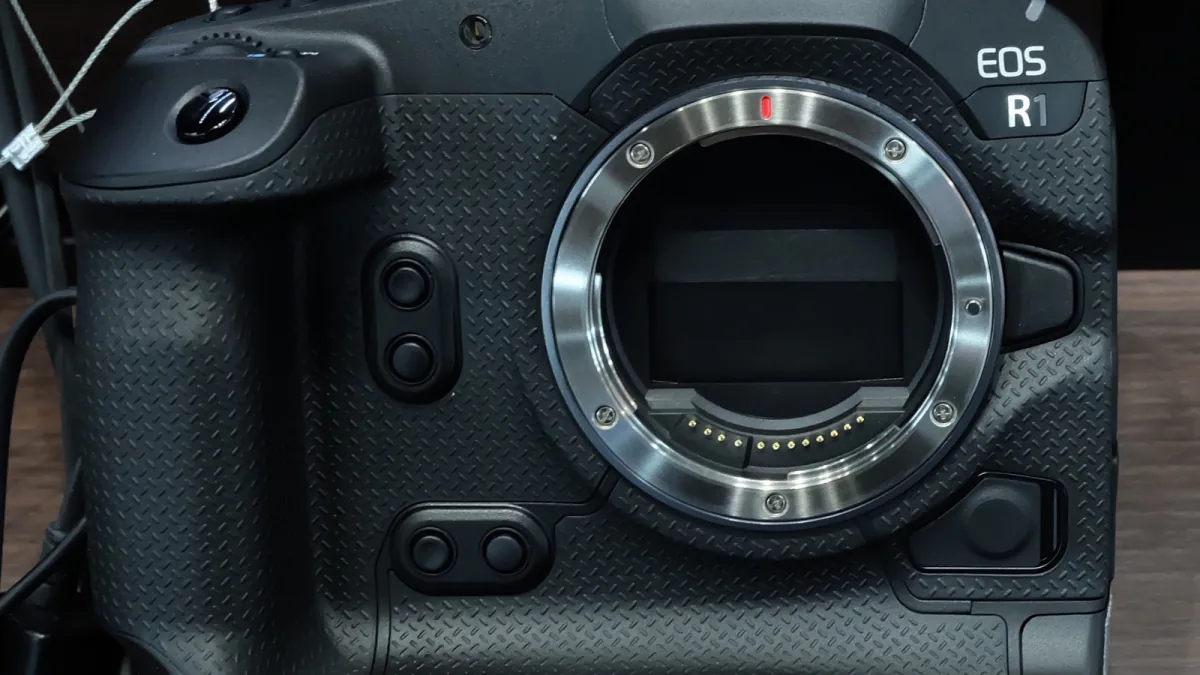
Sources checked October 31, 2026. The SD Association and camera-manual pages are undated rolling references, not newly announced products or standards; their copyright years and crawl dates are not publication dates. Sony α7 IV and Canon EOS R5 Mark II examples retain their own model and mode boundaries. NIST’s reference shows creation January 4, 2017 and update September 16, 2026. The trial, ingest and release record is original proposed editorial methodology. No camera, card, firmware, sustained-write, playback, recovery or software verification tests were performed. The archive photograph shows a different camera body for general context; no card or slot is visible.
- SD Association: Speed Class — Primary standards reference; undated, read October 31, 2026
- SD Association: Bus Speed — Primary interface reference; undated, read October 31, 2026
- Sony α7 IV: compatible memory cards — Primary model-specific Help Guide; undated, read October 31, 2026
- Canon EOS R5 Mark II: compatible cards — Primary manual, D305-010; undated, read October 31, 2026
- Canon EOS R5 Mark II: recording with two cards — Primary manual, D305-201; undated, read October 31, 2026
- Canon EOS R5 Mark II: specifications — Primary recording tables and notes; undated, read October 31, 2026
- Canon EOS R5 Mark II: card formatting — Primary manual, D305-206; undated, read October 31, 2026
- NIST: hash functions — Primary technical reference; created January 4, 2017, updated September 16, 2026, read October 31, 2026