
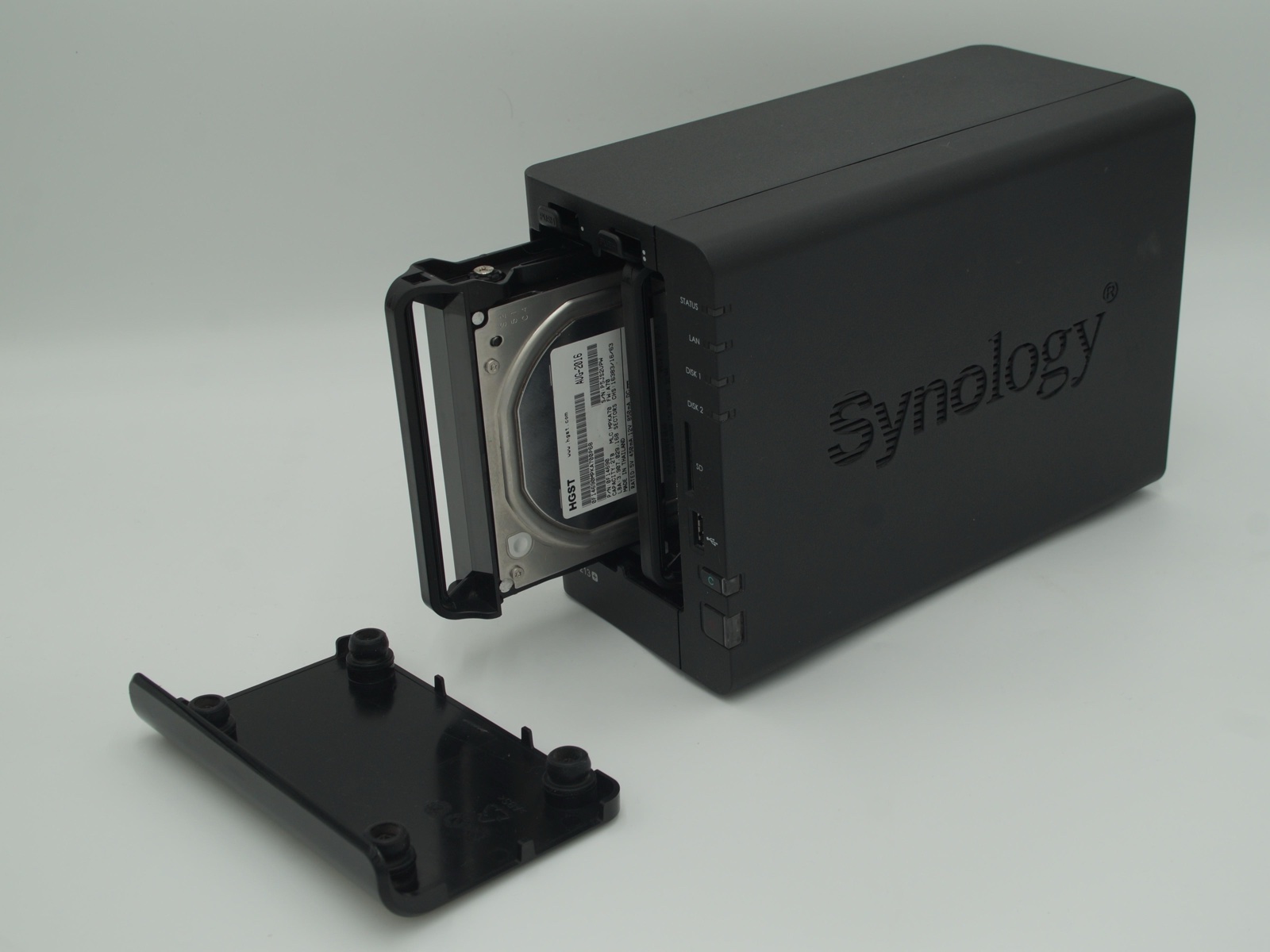
Imagine a small studio that keeps its work on network-attached storage, or NAS. On Monday morning, an editor needs to open Friday’s project. The shared folder is gone. It could be a dead enclosure, an account takeover, or a leak that soaked the box and the USB drive beside it. The editor needs to know which copy is reachable from another machine and how to get in. Recovering the footage is one milestone. Opening the project with the right media paths and giving the editor access without exposing the finance folder are two more.
Synology’s November 10 advisory for DiskStation Manager gives NAS owners a concrete reason to revisit those dependencies. The vendor published fixes for two vulnerabilities that could let remote attackers write arbitrary files on affected versions. The advisory lists fixed updates separately for DSM 7.2.1, 7.2.2, 7.3 and 7.4. It describes the potential impact on affected versions. For an owner of an affected model, confirming the installed build and testing recovery answer separate questions. The first addresses the known flaw. The second shows whether the work survives losing the box or control of it. Synology security advisory
Source notes: 1.
Match each copy to a failure
With a two-disk mirror, one healthy member can keep serving data when the other dies, provided the rest of the system works and the surviving member remains readable. A replacement drive helps rebuild redundancy. Both members still belong to the same live storage system. An authorized deletion goes through that system. A mirror also shares the enclosure, the power supply and the location. Its value is keeping the share available during one kind of hardware failure. OpenZFS documents mirrors and parity layouts with specific disk-failure tolerances. Verify the layout actually configured on the box before assuming it can tolerate a missing member. OpenZFS storage-pool concepts
A local snapshot lets you open a share as it stood at an earlier point. If an editor overwrites one file at 14:05, a retained 14:00 snapshot may be the quickest place to recover it. A snapshot stored only on that NAS still depends on the original pool. Snapshot creation and deletion also have separate permissions. OpenZFS, for example, documents creating and destroying snapshots as distinct operations. Check who can destroy the versions, what happens when the pool fills and whether records cover every share that matters. A restore point for “Projects” does little for a catalog stored in an application dataset that the schedule skips. OpenZFS snapshot manual
A replica on a second NAS gives the data another place to live. It can be quick to bring a share back over a local connection, provided you have a working destination and a tested way to present the files. OpenZFS can send a full snapshot stream or changes between selected points. That makes frequent transfers practical in some setups. The receiver still needs compatible features. For an incremental receive, its latest snapshot must match the starting point of the stream. Some replication modes can remove versions from the destination when they disappear from the sender. Check that behavior before treating the second box as independent history. If it sits beside the first one or an administrator on the first can delete every retained copy on the second, the two boxes still share consequential risks. OpenZFS send manual and receive manual
An independent backup gives you another way in after a bigger failure. An encrypted drive kept disconnected between backup runs can be a straightforward option. Rotating it with a second drive stored elsewhere protects against a failure that takes the premises with it. That arrangement depends on someone doing the rotation and on the last usable copy being recent enough. Remote storage can take over the routine. In that case, the questions are who can erase older versions, how long they stay available, how you get in after an account compromise and how much downloading the archive will cost in time or fees. The UK’s National Cyber Security Centre treats resistance to deletion, recovery access and encryption-key protection as separate checks. NCSC principles for ransomware-resistant cloud backups
Start with the failure that would stop you working. If losing one disk would take a shared service offline for a day, redundancy has real value. If you can work on a laptop for a day but can never replace your source footage, put the independently accessible copy first. A second box, a larger array and a subscription all consume the same budget. The right purchase is the one that closes a failure your existing setup leaves open.
Make the backup reachable from a clean machine
List the pieces you need to reach the first useful restore. An encrypted USB backup may require a disk passphrase and a separate backup password. A remote backup may require a functioning recovery email account, a second factor and permissions to read historical versions. A backup app may use its own archive format. Synology documents a desktop Hyper Backup Explorer for supported local NAS and C2 Storage backups. The practical test is to install the applicable reader on another machine and use it with your own destination, archive and recovery credentials. Synology Hyper Backup recovery options
Keep recovery instructions somewhere you can reach with the old NAS off. Record the destination, account owner, archive type, required software and which protected location holds the recovery credentials. A studio should agree who can use that recovery route if the usual administrator is away. Keep passwords, backup keys and recovery codes in suitably protected storage that can be reached independently of the failed device. An encrypted copy stays encrypted after a hardware failure. If the only decryption key lived on the system you lost, its files are as inaccessible as the original ones. NCSC guidance on key management and recovery access
Check the write account as carefully as the recovery account. If the NAS only needs to append new backups, a setup that also lets it delete every previous version gives a compromised box a larger blast radius. A disconnected drive gets its isolation while unplugged. A storage retention lock gets its protection from the provider’s rules for the configured copy and retention window. Check which old versions survive, when protection expires and who can change future settings or close the account. Run the first test against a disposable sample. Verify that the normal backup identity can upload the next copy and that your recovery identity can read the older one. Use the destination’s documented controls to check deletion protection. NCSC guidance on destructive permissions and retention
An overnight job creates a new version only when it succeeds. A version can also contain files that had already been silently corrupted or encrypted. Suppose Friday night’s backup captured an application catalog after a bad change that began on Wednesday. The version you can trust might be Tuesday’s. Before choosing a retention policy, ask how long a problem could go unnoticed during a holiday, a quiet client period or a failed alert. Preserve enough history to reach behind that gap. One successful log entry says little about how far back you can go.
Rehearse an ordinary restore and a lost-box restore
First, recover one known older file to a new location. Pick a file whose previous state you can identify. Open it in its normal app. If you recorded a SHA-256 hash for the original sample, compare it with the restored file. Then try with an ordinary account so you can see which folder that account can actually reach. Record the version picked, where you retrieved it and how long it took. This rehearsal catches wrong versions and broken access before a real deadline.
Next, rehearse as if the original NAS and its management interface were unavailable. Use an isolated replacement share or a spare system with separate credentials. Keep the production share intact during the exercise. If the trigger is suspected compromise, use clean equipment and treat the cause and scope of the incident as separate work before reconnecting systems. The drill can start with one complete project and should cover at least these four checks.
- Open a complete project. Restore a project folder, linked media, and a catalog or database export made for the same recovery point. Open the project in its everyday app and play or render a small section so missing dependencies show up. A successful open and render confirm more than a folder listing can.
- Check the paths and share names. Test from a workstation via the same protocol the team uses. A changed server name, drive letter or mount point can break a catalog that stores absolute paths. Write down what can be remapped and what must be reconstructed.
- Check access with two ordinary accounts. Verify that an intended editor can read and save in the test share and that a different user cannot browse a restricted folder. Record ownership and group mapping where the backup tool can restore them. Test any permissions you have to re-create separately.
- Write down everything that took time. Include finding the key, obtaining a usable destination, downloading and unpacking, restoring the share, opening the project and correcting access. Record the first usable project and the eventual finish as two separate times.
Australia’s Cyber Security Centre evaluates backup recovery across data, applications and settings together. It specifically calls for a disaster recovery exercise with a common recovery point. That matters on a NAS because a filesystem snapshot captures what reached the filesystem. A running application can hold pending changes in memory or need a consistent export of its database. Check the application’s backup method and pair that export with the matching set of files. Restoring a Friday project folder against a Monday catalog can produce a share that looks complete until someone opens the project. Australian Cyber Security Centre backup assessment guide
Measure when work can resume
Distinguish the recovery point objective, how much recent work you can afford to lose, from the recovery time objective, how long you can afford to wait before the service works again. If a project can lose at most two hours of edits, a successful nightly copy alone cannot reliably meet that target. Keep a shorter-interval recovery option for that project or agree to the longer exposure. For an archive that changes monthly, less frequent copies may be workable if the older versions remain readable and there is a tested route to restore them. The objectives describe needs. The rehearsal records what the system delivered. NIST definition of recovery point and recovery time
The amount stored gives a lower bound for the transfer plan. Copying 2 TB at a sustained 80 MB/s takes about 6 hours 57 minutes using decimal units. At 20 MB/s, it takes about 27 hours 47 minutes. Those are simple division examples. Measure the speed of the path available after a failure. Include the time to retrieve a key, stage files, handle lots of small files, restore ownership, retry failures and verify what opened. A service that captures backup data efficiently can still leave you waiting for a long restore. Separate the time to recover a small project from the time to restore the entire library.
For a small team, decide the order before running the drill. A current job and its catalog can come back ahead of years of finished work. Label both the last verified restore point and the time that the first person could start using the restored files. If the test misses the deadline, change one thing you can measure. A portable recovery copy might get the live job open sooner. A separate account might remove a dependency on the old login. Moving the archive to another location might address a premises failure without changing the primary NAS at all.
When the rehearsal ends, keep one short record someone else can follow. It should name the chosen restore point, the device and account used, the share and app that worked, the access checks and the elapsed time. Put the first unresolved failure and its owner at the top. Next time the console reports a successful backup, you will know exactly which loss you have already practiced recovering from and which one still needs a test.
Sources & Methods
Lumacta compared the manufacturer’s advisory and product documentation with OpenZFS manuals and independent government recovery guidance. Transfer times are calculated examples. Prepared with AI assistance.
- Synology DSM security advisory SA-26:19 — First-party advisory published November 10, 2026. Documents the affected DSM branches, fixed builds and arbitrary-file write impact.
- OpenZFS storage pool concepts — Primary technical reference for mirrors and parity layouts and their device-failure tolerance.
- OpenZFS snapshot manual — Primary technical reference for a point-in-time dataset image and the operation used to remove a snapshot.
- OpenZFS send manual — Primary technical reference for full and incremental snapshot streams and receiver feature compatibility.
- OpenZFS receive manual — Primary technical reference for the matching destination snapshot required by an incremental receive and replication modes that can propagate pruning.
- UK National Cyber Security Centre backup principles — Independent public guidance published November 22, 2024. Covers historical retention, privileged deletion, recovery access, alerts and the keys needed to recover encrypted data.
- Synology Hyper Backup recovery options — Manufacturer documentation for the Hyper Backup Explorer desktop reader and supported backup destinations.
- Australian Cyber Security Centre Essential Eight assessment guide — Independent public assessment guidance on exercising recovery for data, applications and settings at a common point in time.
- NIST CSRC glossary on Recovery Point Objective — NIST terminology for the point to which data must be recovered after an outage.
- NIST CSRC glossary on Recovery Time Objective — NIST terminology for the acceptable recovery window for affected systems.