
First decide whether the mainboard is the problem
Framework’s August 18 announcement brings Core 3, Core 5 and Core 7 options to the Laptop 12 platform while keeping the new board compatible with the original chassis. Backlit keyboard and fingerprint-reader upgrades are optional. That is a useful ownership choice, but it does not tell an existing owner to replace a working board immediately.
Start with a real task that is unsatisfactory: a slow export, insufficient memory, a failing component or a required peripheral. Record what happens on the current machine. If the problem is a worn battery or too little storage, buying a processor upgrade may spend money on the wrong part. Conversely, a failed board in an otherwise healthy laptop makes reuse worth pricing carefully.
What the platform offers—and what still needs checking
| Part or feature | Documented platform detail | Before ordering |
|---|---|---|
| Chassis and input | Original Laptop 12 accepts the new mainboard; optional keyboard/reader upgrades are backward-compatible. | Inspect hinges, display, keyboard and battery condition. |
| External connections | Rear two ports gain Thunderbolt 4; front two are USB 3.2 Gen 2. All four support charging. | Match a required dock to the actual port, not just the USB-C shape. |
| Memory | One replaceable DDR5 SO-DIMM, up to 64GB; Series 3 supports up to DDR5-6400. | Confirm support for the specific module. Reuse does not promise the maximum memory speed. |
| Storage and wireless | M.2 2230 SSD, listed up to 2TB, and replaceable Wi-Fi hardware. | Check the exact board bundle and reusable parts; do not assume every listed component is included. |
Hardware sources: Framework’s upgrade announcement and product specifications. The right-hand column is our purchasing checklist, not a set of measured compatibility results.
The distinction between a feature and an included part matters. Price the configuration you will actually assemble, including any components you cannot reuse. Optional input upgrades should have their own line in the budget; needing more computing performance does not itself create a need for a new keyboard.
Linux support must match the new board, not the old one
Framework’s Linux page separates the two generations. For Core Series 3 it lists kernel 7.1 as the minimum and libfprint 1.94.100 for fingerprint support, noting that availability varies across distributions. The 13th-generation section instead lists kernel 6.1 minimum and recommends 6.13 or later.
That separation is important: a compatibility badge in the older section is not evidence that the same installed system will support the new board. Check your distribution’s supported packages and the guide for the exact generation before purchase. The presence of a fingerprint sensor alone does not establish a working sign-in path.
Our recommendation is to have a supported installation and recovery plan first. If upgrading a daily-use laptop would force an operating-system change during a busy period, that disruption belongs in the decision alongside the hardware cost. Lumacta has not installed or validated a distribution on this board.
Compare the whole decision, not the deposit
On September 23, the Poland mainboard listing showed Core 3 304, Core 5 320 and Core 7 350 as preorder Batch 4, shipping in November. It also distinguished a refundable deposit from the total price. This is a dated regional snapshot, not a delivery guarantee or a price for every reader.
Use a current quote in your own market. Compare these two totals with the same tax, shipping and usable-configuration assumptions:
- Upgrade total: mainboard + necessary new parts + existing-machine repairs + labour, taxes and delivery not already included − realistic proceeds from parts actually sold.
- Replacement total: a suitably configured new laptop + missing accessories and applicable costs − realistic proceeds from the old machine actually sold.
Worked example—hypothetical, not store prices: a 400-unit board, 80 units of necessary parts/repairs and 20 units of other costs total 500. Selling the replaced board for 50 would bring the net upgrade to 450. A comparable replacement costing 750 in total, less 200 for the old laptop, would cost 550 net. The apparent 100-unit advantage disappears if the upgrade then needs another 100-unit repair.
Use the same currency throughout and do not count tax twice. Resale is uncertain: if you keep the old SSD, do not subtract the price of an old laptop advertised with that SSD still inside. Calculate once with a realistic resale estimate and once with zero; that exposes whether the decision depends on finding a buyer.
Repairable does not mean preparation-free
Framework’s official mainboard guide rates the task moderate and estimates 30–60 minutes. It calls for software preparation, shutdown and disconnection, and a staged battery-removal procedure. Replacement kits include the attached fan and heatsink. Use the complete guide for your configuration; this article is not a substitute for its repair instructions.
Back up important work and check the guide’s encryption and Windows activation preparation before opening the laptop. Ensure that recovery information is available outside the machine being repaired. Do not post recovery keys or account credentials to a public support thread.
For someone who cannot afford downtime, include competent installation help or access to a spare computer in the plan. A vendor’s estimated repair time is not a promise that a first-time owner will be productive again within an hour.
The battery claim is a reason to test, not a result to borrow
Framework reported up to 70% longer battery life in an early Netflix 4K comparison between Core 5 320 and Core i5-1334U systems. This is a manufacturer test claim, not a Lumacta measurement or a forecast for every workload.
A useful independent comparison would state battery condition, brightness, operating system, firmware, network conditions and the exact workload, then repeat the runs. Video playback alone would not answer how long the laptop lasts while compiling code or on video calls. We have not collected those measurements and cannot select a best-value processor tier from them.
Our verdict: reuse is an option with conditions
Consider an upgrade when the surrounding machine is healthy, the board addresses a demonstrated limitation and the complete cost leaves a worthwhile margin. Keep the current configuration when it already meets the need. Compare a replacement when several major parts are worn or the screen, size or software requirements no longer fit.
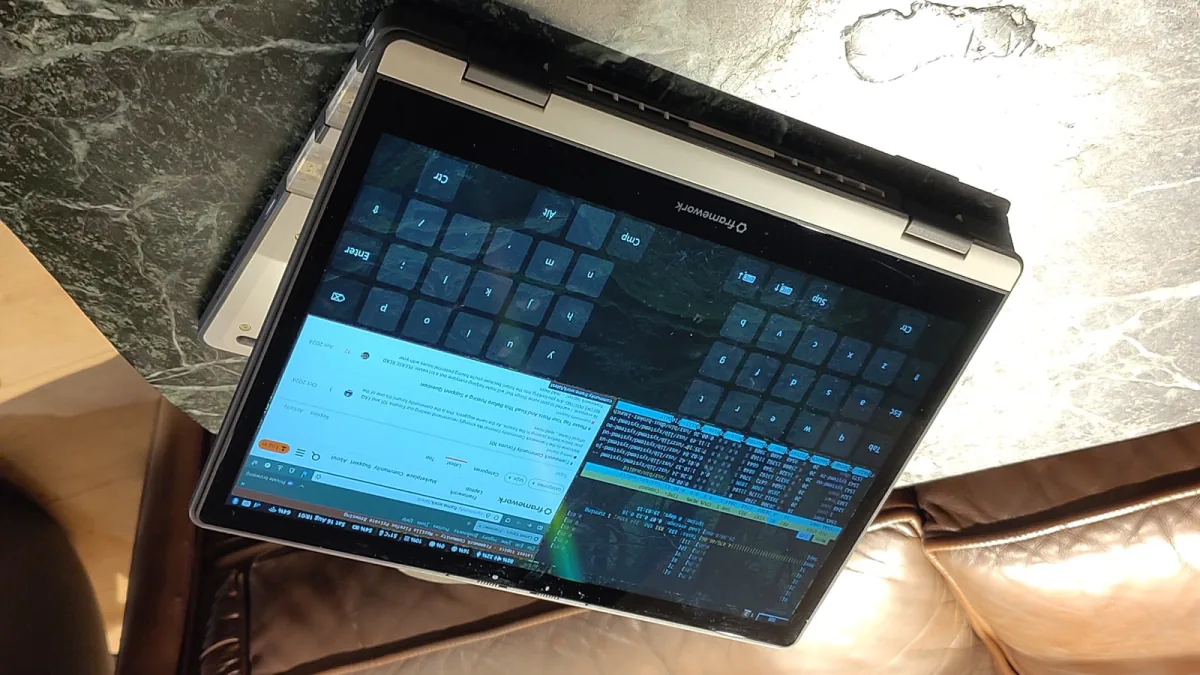
There is also an environmental question, but this article supplies no lifecycle study or measured carbon saving. Keeping usable parts in service is a reason to investigate reuse, not grounds for inventing an emissions percentage. The original-generation photograph shows the convertible design; it is not evidence of new-board performance.
Sources & Methods
Documentary review on September 23, 2026. Hardware and battery statements are attributed to Framework. Its store resolved to Poland; the regional shipping observation below is not a worldwide promise or a Romanian price quote. Cost equations and the numerical example are Lumacta editorial tools; the example uses invented amounts, not retailer offers. No hardware repair or benchmark was performed.
- Framework: Core Series 3 announcement — August 18 announcement and attributed manufacturer battery comparison.
- Framework: Laptop 12 product page — Platform, replaceable memory and storage specifications; checked September 23.
- Framework: Laptop 12 Linux support — Separate Core Series 3 and 13th-generation requirements; checked September 23.
- Framework: Mainboard regional listing — Poland store snapshot: preorder batch and processor variants, not global availability.
- Framework: Mainboard replacement guide — Preparation, complexity and replacement procedure; consulted, not performed.
- Wikimedia Commons — Framework Laptop 12 in tablet mode — image source and licence record
- Creative Commons — CC0 1.0 — image rights source
