
What was announced—and the missing denominator
Adobe and NVIDIA’s October 15 release claims up to 2× faster AI processing, editing, color and effects with RTX Spark optimizations for Photoshop, Premiere and Substance 3D. This is not an independent benchmark.
The question for a working editor is less glamorous than the multiplier: which operation was timed, against what starting configuration, and with which result required at the end? A faster preview, a faster export and a quicker decision are three different achievements. None should silently stand in for the others.
Our reading is that the announcement warrants attention without settling a purchase. A short wait repeated throughout an edit can be more irritating than one long unattended job. Conversely, accelerating an operation you rarely use may change an impressive demonstration while barely changing your week. Begin with the work you already recognize, rather than designing a project around a performance claim.
Source notes: 1. Original editorial examples and interpretations are identified separately.
The minutes that do not disappear
Here is an original hypothetical example, not a measured Adobe or NVIDIA project. Assume a serial job takes 120 minutes: 60 for selecting and cutting, 40 for processing operations, and 20 for inspection and delivery. Assume only the processing stage becomes twice as fast, with the same result and no extra correction.
The new total is 60 + 40/2 + 20 = 100 minutes. Twenty minutes saved from 120 is a 16.7% reduction in elapsed time; 120/100 gives an end-to-end speed ratio of 1.2×, not 2×. These invented values do not predict the companies’ products, typical editing jobs or a reader’s savings.
The serial assumption matters. If some processing already happens while you choose music, its full reduction might not come off the deadline. If waiting interrupts a decision, the benefit could feel different from the arithmetic. Keep unattended time, blocked attention and the final handoff separate when making your own comparison.
Source notes: 1. Original editorial examples and interpretations are identified separately.
Three kinds of waiting deserve three separate notes
Adobe’s March 5 technical guide describes Mercury Playback Engine acceleration for effects, image processing, color conversion and scaling. It also cautions that low GPU utilization does not necessarily indicate poor performance. That older reference explains the processing distinction; it does not validate the new speed claim.
Our suggested first note concerns responsiveness: can you make the next editing decision without waiting for the picture to catch up? The second concerns repeated operations: how long do the particular corrections you actually use take? The third concerns the finished file: when is the intended delivery ready to inspect?
Those observations need not become a laboratory production. Keep the same representative sequence and write down what was happening when a delay became noticeable. Avoid using a busy-looking utilization graph as the verdict. The meaningful result is a usable editing experience and an acceptable file, not a component appearing occupied every second.
Source notes: 2. Original editorial examples and interpretations are identified separately.
A useful comparison keeps the deliverable still
Adobe’s August 18 export reference says H.264/HEVC hardware encoding depends on the system configuration; unsupported settings can switch the Performance option to software. It separately describes choices such as resolution, frame rate, profile and output color space. A preferred button setting is not universal hardware eligibility.
For an original before-and-after comparison, we would keep the source sequence and the intended deliverable unchanged. Note the application version, selected effects, export settings and hardware configuration. If one run quietly changes the output requirements, the shorter time answers a different question.
Inspection belongs inside the exercise. Check the file you would actually send, not just the timer that stopped. Look at the moments the edit depends on: a face during movement, a difficult transition, the intended color appearance and the audio handoff. These are proposed editorial checks, not defects we found in Adobe’s tools. If a comparison skips its acceptance conditions, it cannot establish the saving you wanted.
Source notes: 3. Original editorial examples and interpretations are identified separately.
Faster iteration can matter without an earlier deadline
Imagine another invented situation: an editor is deciding between two treatments of a wedding scene. A shorter wait could make it comfortable to compare both before committing. That is a different possible benefit from promising an additional completed film every day. We have not observed this scenario or quantified its effect.
More iterations are not automatically better decisions. Decide what you want the comparison to reveal: a clearer face, a less distracting background, or a treatment that fits the surrounding sequence. Stop when that question is answered, rather than collecting variants because they are now easier to produce.
For a small creative business, saved time also does not equal new revenue by itself. Another booking, extra review work and a finished delivery are separate events. Treat any capacity calculation as your own planning assumption, with the customer’s requirements still attached. The creative value may be a calmer decision, not a larger invoice.
Source notes: 1, 2. Original editorial examples and interpretations are identified separately.
Our technical reading: measure the finished handoff
The original technical lesson of the worked example is a limiting fraction: accelerating one part of a serial process leaves the other parts in place. That is why we would ask a seller to demonstrate your recurring operation and your complete delivery separately. A credible comparison should preserve both the task and its acceptance conditions.
This approach can justify keeping an existing workstation as readily as replacing it. First identify a delay that matters, then establish whether the proposed configuration addresses that delay without compromising the intended output. We are not offering a matched buying verdict, a compatibility guarantee or a forecast of payback.
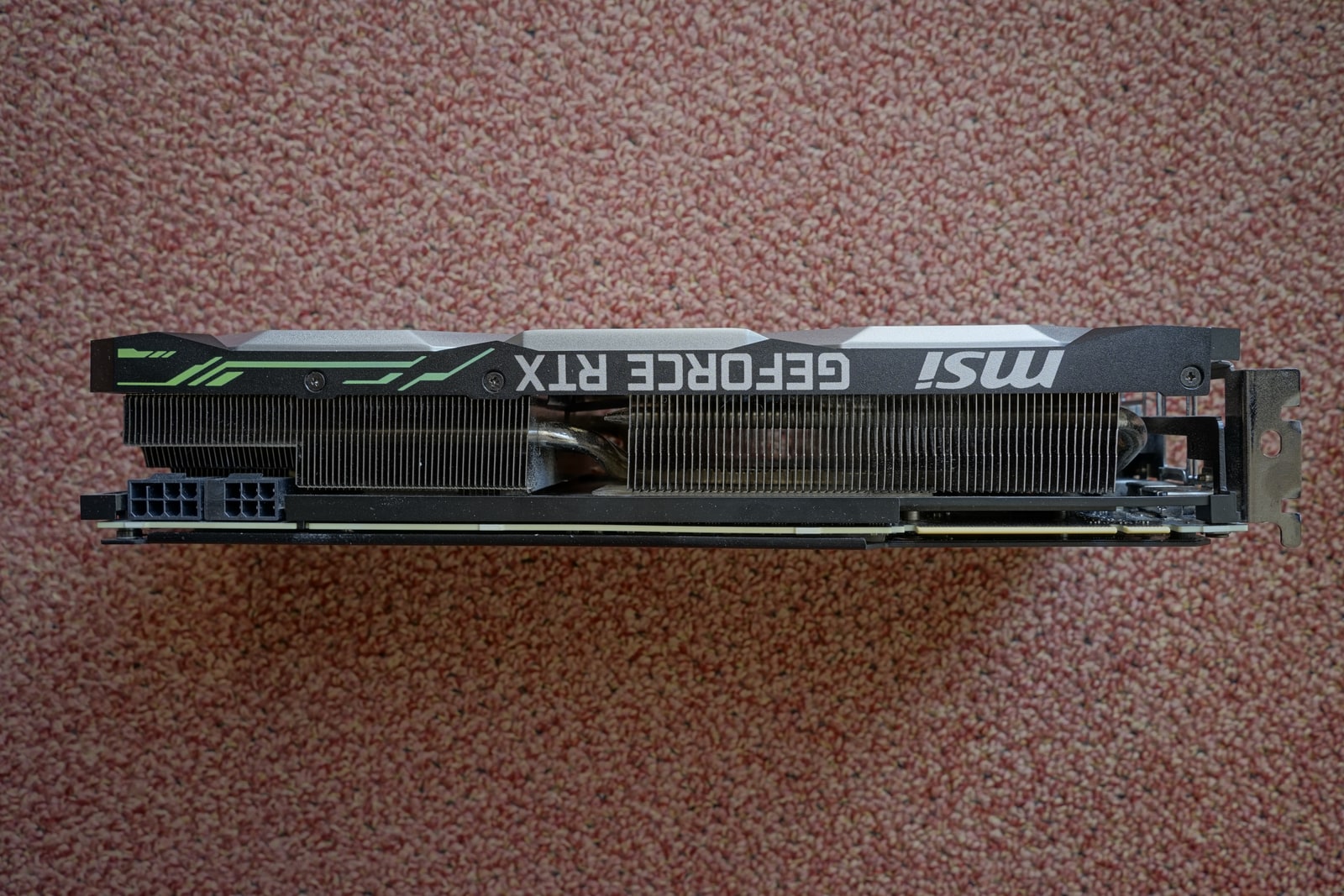
The archive photograph shows an RTX 2080 photographed in 2020, not RTX Spark or a test system for this announcement. Better acceleration can be valuable; the buyer’s question is how much of the actual working day it changes. The final delivery, rather than the largest multiplier, remains the useful finish line.
Source notes: 1, 2, 3. Original editorial examples and interpretations are identified separately.
Sources & Methods
Prepared October 16, 2026 from the complete joint release and two manufacturer help articles. Older technical references provide context, not a new-product test. The timed job, serial calculation and wedding-edit example are original hypothetical illustrations. No hands-on benchmark, purchase, interview or independent speed measurement was performed.
- Adobe/NVIDIA: October 15 announcement — Joint primary release; complete announcement and qualifications read October 16
- Adobe: GPU processing reference — Primary technical explanation, updated March 5; complete explanatory body read October 16
- Adobe: video encoding settings — Primary export reference, updated August 18; complete explanatory body read October 16