
PRODUCT GUIDE · FIELD PERSPECTIVE
Sony FX3 vs FX30: the small cinema camera that impressed me
I have tested both. The FX30 is the one that surprised me most: serious image quality at a much lower price. Here is where the value comes from, where the FX3 still earns its premium, and what the latest FX30 firmware actually changes.
Hands-on perspective + specification analysis
.jpg)
.jpg)
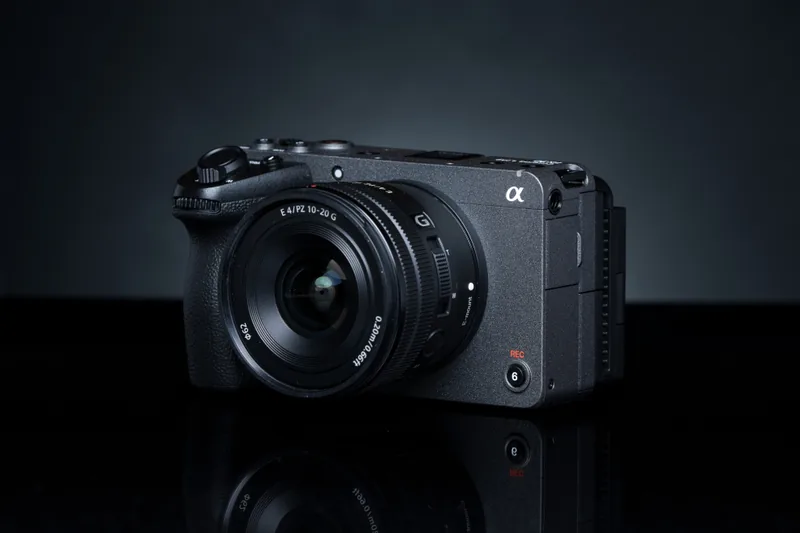
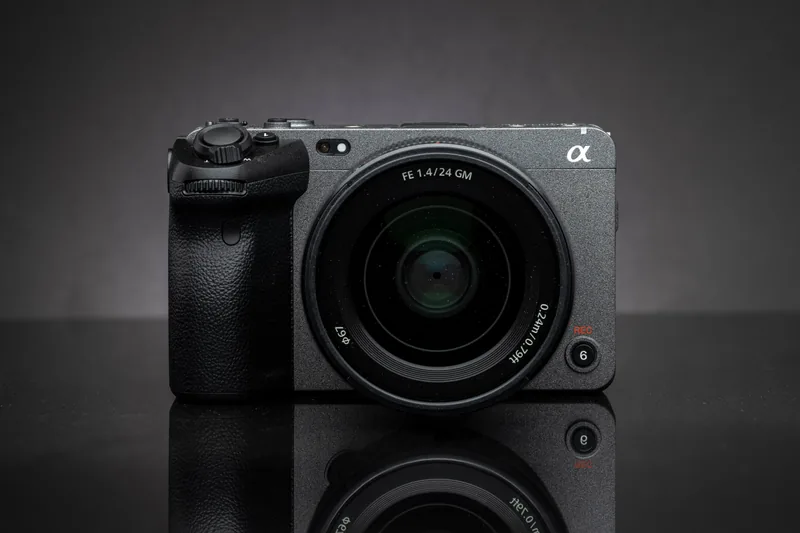
Illustrative licensed photographs with different lenses and angles. Not a to-scale body comparison or evidence of the author’s testing setup.
“I have tested both the FX3 and the FX30, and I am very, very impressed by the FX30 — the image quality, the small camera, and what you get for much less money.”
Tanasa Romeo Iulian · author’s impression, translated from Romanian
The personal verdict reflects the author's experience with both cameras. Technical comparisons use Sony documentation, not a controlled LUMACTA laboratory test. The firmware section is a review of release notes; it does not claim a before-and-after firmware test.
September 23: what can still support the buying decision?
| Evidence | Recheck result | Limit |
|---|---|---|
| Original FX3 · MPB EU | €3,499 · Excellent · SKU 4009138. XLR handle, NP-FZ100 battery and third-party BC-QZ1 charger listed. | Seller description; not an inspected unit or checkout total. |
| FX30 · MPB EU | A current offer could not be retrieved reliably during this check. | Unknown is not out of stock. The old €1,819 example is not a current quotation. |
| Two-camera saving | Not recalculated from mismatched dates. | A fresh FX3 price cannot be compared fairly with a September 6 FX30 offer. |
The current FX3 details above come from the MPB EU listing page. The FX30 page is included as a place to check, not as evidence of a successfully retrieved current price. Neither is an affiliate link. Used inventory can change between this check and a purchase.
Firmware is a separate decision from price. Sony’s FX30 instructions require cameras on 1.02 or earlier to pass through 1.05 before 6.01, and include a LUT precaution for owners on 5.00/5.01. Sony’s original-FX3 instructions require 2.02 or earlier to pass through 2.04 or 2.05 before 7.02. Follow the complete instructions for your exact body and starting version; this summary is not an update procedure.
A useful comparison needs your shooting conditions
The author’s preference for the FX30 below is a personal judgement, not a repeatable technical score. The published experience does not specify lenses, exposure settings, locations or matched sample footage. This revision does not fill those gaps with imagined tests or treat the licensed illustrations as the author’s test photographs.
For your own audition, use the delivery frame rate and lens coverage you actually need, record a representative subject and your real sound setup, then inspect the exported result rather than only the camera monitor. Include a session long enough for your usual job. These are proposed comparison criteria, not tests we performed for this update.
The practical value question is whether an otherwise adequate camera leaves enough budget for the rest of a dependable kit. The answer can favour FX30 without proving that it beats FX3 in every scene. Until both present-day packages are priced and their condition checked, our verdict is conditional—not a claim that the cheapest old number remains available.
Specs
A familiar body with two very different sensor priorities.
I have tested both cameras, and the FX30 has left a strong impression on me. The attraction is straightforward: a small cinema camera that can deliver an image I am happy with, without the same financial commitment as the FX3. That personal reaction is the starting point of this review, not a claim that an APS-C sensor suddenly becomes full frame.
The comparison below concerns the original ILME-FX3 and the ILME-FX30. It does not silently substitute the later FX3A. Camera specifications, firmware release notes and seller listings are independently identifiable; subjective impressions are kept separate from them.
Sensor & image
| Specification | FX30 | Original FX3 | In practice |
|---|---|---|---|
| Sensor format | APS-C / Super 35 | Full frame | Different image-circle coverage. |
| Sensor dimensions | 23.3 × 15.5 mm | 35.6 × 23.8 mm | Physical dimensions, not every mode's active area. |
| Effective movie pixels | 20.1 MP | 10.3 MP | Not an image-quality score. |
| Effective still pixels | 26.0 MP | 12.1 MP | Separate from recorded video resolution. |
| Normal-speed UHD | 6K-oversampled 4K, up to 60p | 4K, up to 60p | FX30 does not record internal 6K. |
| DCI 4K / true 24.00p | Firmware 2.00+ | Firmware 3.00+ | 4096 × 2160; distinct from UHD 23.98p. |
| Cine EI base ISO | 800 / 2,500 | 800 / 12,800 | Not a comparative noise measurement. |
| S-Log3 latitude claim | 14+ stops | 15+ stops | Sony claims, not LUMACTA measurements. |
Sources: Sony FX30 — official specifications · Sony original FX3 — official specifications · Sony FX30 announcement — oversampling, imaging and Cinema Line features · Sony FX30 Help Guide — Base ISO · Sony FX3 Help Guide — Base ISO · Sony April 2023 update — DCI 4K and true 24p
Recording & firmware
| Specification | FX30 | Original FX3 | In practice |
|---|---|---|---|
| Internal colour | 10-bit 4:2:2 options | 10-bit 4:2:2 options | Select the appropriate recording setting. |
| Codec families | XAVC HS / S / S-I | XAVC HS / S / S-I | HEVC or AVC; Long GOP or Intra. |
| High-frame-rate UHD | 119.88p / 100p | 119.88p / 100p | Crop and format restrictions; not DCI 120p. |
| HDMI RAW raster | 4672 × 2628 | 4264 × 2408 | Listed output up to 59.94p / 50p. |
| HDMI RAW signal | 16-bit output | 16-bit output | External recorder required; not internal 16-bit files. |
| Media slots | 2 × SD / CFexpress Type A | 2 × SD / CFexpress Type A | Card speed must match the recording mode. |
| Latest listed firmware | 6.01 · March 17, 2026 | 7.02 · March 17, 2026 | Checked September 6; original FX3, not FX3A. |
Sources: Sony FX30 — official specifications · Sony original FX3 — official specifications · Sony FX30 Help Guide — codec families and compression · Sony FX30 Help Guide — frame rates, colour and recording bitrates · Sony FX30 firmware 6.01 — download, release notes and precautions · Sony original FX3 firmware 7.02 — release notes
Focus & monitoring
| Specification | FX30 | Original FX3 | In practice |
|---|---|---|---|
| Movie phase-detection AF | 495 points | 627 points | Point count is not a tracking-success score. |
| Still-image phase AF | 759 points | 759 points, full frame | Do not confuse stills and movie specifications. |
| AF sensitivity range | EV −3 to 20 | EV −6 to 20 | Sony conditions: ISO 100, F2 lens. |
| Movie Eye AF subjects | Human / animal / bird | Human | Published original-FX3 specification, not FX3A. |
| Rear LCD | 3.0-inch · 2.36M dots | 3.0-inch · 1.44M dots | Screen dots are not captured-image pixels. |
Sources: Sony FX30 — official specifications · Sony original FX3 — official specifications
Connections & physical kit
| Specification | FX30 | Original FX3 | In practice |
|---|---|---|---|
| Lens mount / HDMI | Sony E / full-size Type A | Sony E / full-size Type A | Check lens coverage and recorder compatibility. |
| USB-C interface | Up to 10 Gbps | Up to 10 Gbps | Interface capability, not guaranteed transfer speed. |
| Body audio connections | 3.5 mm mic + headphones | 3.5 mm mic + headphones | Monitor recorded sound, not just the meters. |
| XLR-handle inputs | 2 × XLR/TRS + 3.5 mm | 2 × XLR/TRS + 3.5 mm | Handle required; inspect used-package contents. |
| Digital-shoe audio | Up to 4 ch / 48 kHz / 24-bit | Up to 4 ch / 48 kHz / 24-bit | Requires compatible audio hardware and settings. |
| Stabilisation | 5-axis sensor shift; Active | 5-axis sensor shift; Active | Mode and lens affect compensation and framing. |
| Body-only weight | Approx. 562 g | Approx. 630 g | Excludes battery, card, lens and handle. |
| With battery and card | Approx. 646 g | Approx. 715 g | Still excludes lens and handle. |
| Body dimensions | 129.7 × 77.8 × 84.5 mm | 129.7 × 77.8 × 84.5 mm | Excluding protrusions; the bodies are the same size. |
| Battery family | NP-FZ100 | NP-FZ100 | Shared battery type does not mean identical runtime. |
| Still-photo shutter | Electronic | Mechanical / electronic | Still-photo capability is not the same as hybrid versatility. |
Sources: Sony FX30 — official specifications · Sony original FX3 — official specifications · Sony FX30 Help Guide — digital-shoe audio settings
XAVC HS, S or S-I: choose for the edit, not the badge
XAVC HS uses HEVC/H.265; XAVC S uses AVC/H.264. Both use Long GOP compression, which stores information across groups of frames. S-I is the Intra option, compressing frames individually. Sony describes Intra as more edit-friendly and Long GOP as more compression-efficient.
The useful choice is a workflow choice. Try a representative clip in your editing software, including colour correction and playback at the delivery resolution. HEVC support on a specification sheet is not the same as smooth playback of every 10-bit 4:2:2 camera file. Proxies may make more sense than buying a new computer or recording everything at the highest bitrate.
For 25p UHD on the FX30, XAVC S offers a 140 Mbps 10-bit 4:2:2 setting, while S-I uses 250 Mbps. At 50p, the corresponding options include 200 and 500 Mbps. These are useful planning examples, not a measured quality comparison. A larger file is not automatically a visibly better film.
Sources: Sony FX30 Help Guide — codec families and compression · Sony FX30 Help Guide — frame rates, colour and recording bitrates
10-bit, 4:2:2 and RAW are three different things
Bit depth describes tonal quantisation; chroma subsampling describes how colour information is sampled. Ten-bit encoding has 1,024 possible code values rather than 256 at eight bits. That mathematical difference is not four times the dynamic range, and video-range encoding does not necessarily use every possible value. Exposure, lighting and the actual signal still matter.
RAW is a separate recording path. Sony's 16-bit HDMI specification describes the camera's output signal, not a promise that any attached recorder saves a 16-bit file. The recorder determines the supported recording format and modes. Check the camera–recorder combination as a system, including firmware, media and power.
For most buyers, it is worth mastering the internal workflow first. Add an external recorder when a deliverable or post-production requirement justifies it, not because the internal 10-bit picture needs apologising for.
Sources: Sony FX30 Help Guide — frame rates, colour and recording bitrates · Sony FX30 — official specifications · Sony original FX3 — official specifications · Blackmagic Design — Video Assist 3.22, November 4, 2025
Autofocus: the useful difference is not just the number of points
The table separates movie AF from still-image AF because the familiar 759-point figure does not describe both cameras' movie modes. The published low-light AF ranges also use specific ISO and lens conditions. They are not a measurement of how often either camera will keep a moving face sharp.
For an actual purchase test, watch what happens when a subject turns away, another person crosses the frame, or the subject moves toward the camera. Set transition speed and subject-shift sensitivity intentionally, then repeat with the lens you plan to use. A smooth, appropriate focus transition can be more valuable than the fastest possible jump.
The FX30's higher-dot-count rear screen is a useful monitoring distinction against the original FX3. It does not replace checking focus at the intended delivery size, and it should not be confused with a difference in the recorded picture.
Sources: Sony FX30 — official specifications · Sony original FX3 — official specifications
Audio is part of the camera budget
Four-channel, 24-bit digital-shoe audio requires compatible hardware. On the FX30, Sony's Shoe Audio settings distinguish four-channel and two-channel operation; unsupported microphone combinations do not unlock every option. An external microphone connected to the body's 3.5 mm terminal follows a different input path.
For an interview kit, write down the microphone, its power needs, the input it will use and the headphone-monitoring arrangement. When buying used, check the handle's sockets and channel routing, not merely whether a handle appears in a photograph. A missing audio accessory can meaningfully change the apparent bargain.
Sources: Sony FX30 Help Guide — digital-shoe audio settings · Sony FX30 — official specifications · Sony original FX3 — official specifications
Cards: 4K on the box is not enough
Sony's FX30 guide lists V60 SDXC or suitably rated CFexpress Type A for the 280 Mbps XAVC S/HS movie modes, and V90 SDXC or VPG200 Type A for normal S-I 4K recording. It separately permits U3/V30 at 200 Mbps. CFexpress Type B is not compatible.
Slow-motion requirements are different: S-I 4K slow motion requires VPG200-or-higher Type A media; some high-frame-rate Long GOP modes may need V90. Proxy recording can raise the requirement too. Check the exact combination, not only the playback-file bitrate.
The storage graph later in this guide estimates data volume, not card eligibility. Capacity answers how much fits; sustained write performance answers whether a recording mode is supported. Neither is a substitute for testing both cards in the actual camera before a job.
Sources: Sony FX30 Help Guide — compatible cards and slow-motion exceptions
The FX30's detail advantage needs the right explanation
Sony describes the FX30's standard 4K image as oversampled from 6K at frame rates up to 60p. In simple terms, the camera starts with more sampled detail than the delivery frame needs, then reduces it to 4K. The recorded file is still 4K. Do not mistake the sensor's still-photo megapixels for an internal 6K recording option.
This helps explain why the less expensive camera deserves to be evaluated on the picture, not dismissed by its position in the range. It does not establish that it resolves more useful detail with every lens, aperture and recording mode. Sharpening, focus, exposure and the final export all affect the result. A side-by-side sharpness verdict requires matching those variables.
Sources: Sony FX30 announcement — oversampling, imaging and Cinema Line features
Full frame changes the shooting problem, not your professional status
A smaller sensor uses a narrower portion of a lens's image circle. For an approximate normal-speed framing comparison, think of a 24mm lens on APS-C as roughly a 36mm full-frame field of view before additional mode-specific crops. That does not change the lens's actual focal length. Moving the camera to compensate changes perspective, so 'same lens' is not automatically a fair composition test.
The useful question is which framing, depth of field and working distance you need. A larger format can make very shallow focus easier at matched framing and f-number. That is a creative option, not a universal improvement: keeping two moving people in focus may matter more than dissolving every background.
For a buyer who already owns suitable APS-C lenses, the FX30 can preserve a sensible kit budget. A move to full frame should include the lenses required for the intended coverage, not just the body-price difference.
Sources: Sony FX30 — official specifications · Sony original FX3 — official specifications
Low light: the FX3 has a real reason to exist
In Cine EI, Sony lists base ISO values of 800 and 2,500 for the FX30, versus 800 and 12,800 for the FX3. That is an important operational difference. It is not evidence that the FX3 produces an exact number of stops less noise, nor that matching the displayed ISO gives an equal exposure in every mode.
If your work routinely depends on available light and you cannot introduce lighting, the FX3 deserves a deliberate test in that environment. If you can control light, lens aperture and exposure, the decision can shift toward the FX30 and the equipment you can afford alongside it.
My value preference should not become a promise about a dark reception, a night exterior or a particular ISO setting that this article has not documented. Test skin tones, highlight retention and shadow noise under the lighting you actually face, using the same delivery grade.
Sources: Sony FX30 Help Guide — Base ISO · Sony FX3 Help Guide — Base ISO
The 4K slow-motion catch
Both cameras offer high-frame-rate UHD recording, but the FX30's 100p/119.88p mode narrows the view substantially. Sony's angle-of-view guide describes approximately 1.6× magnification for that mode relative to the lens field within its APS-C format. Normal non-RAW movie recording also has a smaller, approximately 1.04× adjustment. These are mode-specific factors, not a replacement for the APS-C-to-full-frame relationship.
The practical consequence is lens planning. A lens that is wide enough for your normal-speed establishing shot may become too tight when you switch to slow motion in a small room. Check the actual framing before buying an ultra-wide lens around a single headline specification.
High-frame-rate footage also needs a suitable shutter setting, sufficient light and compatible media. Treat '4K 120p' as a recording capability with conditions, not a guarantee that every normal-speed setup transfers unchanged.
Sources: Sony FX30 Help Guide — angle of view by recording mode · Sony original FX3 — official specifications
The small camera is not a dramatically smaller body
The appeal of a compact FX30 is real, but Sony lists the same external body dimensions for these two models. The FX30 is lighter; it is not a different size class. Once a lens, microphone, handle, monitor and cables are attached, the rig can matter more than the bare-camera difference.
That is why I would judge the complete package on the tripod or gimbal it will use. A cheaper body is most compelling when the finished setup remains practical, not when a long accessories list consumes the saving.
Sources: Sony FX30 — official specifications · Sony original FX3 — official specifications
Updates
What 6.01 actually adds — and the earlier changes that make today's FX30 useful.
Sony’s support entry rechecked on September 23 still lists FX30 firmware 6.01, released March 17, 2026. It describes LUT-processing and performance/stability work, not a new sensor or a measured image-quality leap.
The original ILME-FX3 support entry lists 7.02, also released March 17, 2026. Different version numbers do not rank the cameras. This guide does not substitute FX3A firmware or claim a before-and-after test.
Sources: Sony FX30 firmware 6.01 — download, release notes and precautions · Sony original FX3 firmware 7.02 — release notes
- 2.00+
DCI 4K / true 24p
An earlier addition, documented in Sony's April 2023 announcement. Not new in 6.01.
- 5.00+
Shutter-angle control
An earlier workflow change. Sony's current Help Guide identifies version 5.00 as the minimum.
- 6.00 generation
BIG6 and Fixed/Variable
The larger feature-update generation: clearer setup access and a different route into variable-frame-rate capture.
- 6.01 · latest listed
LUT processing and stability
March 17, 2026. A maintenance update that also includes prior improvements.
Sources: Sony April 2023 update — DCI 4K and true 24p · Sony FX30 Help Guide — shutter angle, firmware 5.00+ · Sony Cinema Line update announcement — BIG6 and anamorphic monitoring · Sony FX30 Help Guide — Fixed/Variable frame rates, firmware 6.00+ · Sony FX30 firmware 6.01 — download, release notes and precautions
BIG6: a faster way to see whether the camera is ready
BIG6 brings a simpler home-screen approach to reviewing core shooting settings. Sony's stated goal is a more consistent Cinema Line operating experience. Its value is not extra image resolution; it is making an incorrect setup easier to spot before the take.
For a solo operator, the important question is whether checking frame rate, exposure and the recording setup becomes more straightforward. That is a workflow benefit worth taking seriously. It should still be judged in use, not translated into an invented percentage improvement in shooting speed.
Sources: Sony Cinema Line update announcement — BIG6 and anamorphic monitoring
Fixed/Variable: learn the audio consequence before the job
The FX30 Help Guide ties Fixed/Variable frame-rate control to firmware 6.00 or later. Variable capture lets shooting and playback frame rates differ, creating slow or quick motion. Sony explicitly states that audio is not recorded in Variable mode.
That distinction matters for an interview, a wedding moment or any shot whose sound you need. Do not discover after filming that you selected a silent slow-motion mode. A sensible pre-shoot check includes both the intended playback speed and whether the resulting clip contains audio.
Sources: Sony FX30 Help Guide — Fixed/Variable frame rates, firmware 6.00+
Shutter angle was an earlier upgrade — and it is genuinely useful
Sony added the FX30's shutter-angle option before 6.01; the Help Guide specifies firmware 5.00 or later. A constant angle expresses exposure as a fraction of each frame interval. At 180°, the familiar examples are 25fps at 1/50 second, 50fps at 1/100, and 100fps at 1/200.
This makes the intended motion-blur relationship easier to retain when changing frame rates. It is not a mandatory cinematic recipe: practical lights can flicker, fast action may need a different look, and exposure still requires attention. Sony also warns that speed and angle settings are stored separately, so check exposure when switching between them.
Sources: Sony FX30 Help Guide — shutter angle, firmware 5.00+
Blackmagic RAW is external, not a new internal codec
The current Sony notes include support for external Blackmagic RAW recording through HDMI as a previous improvement. Blackmagic's Video Assist 3.22 release, dated November 4, 2025, specifically added Sony FX3/FX30 recording support to its 5-inch and 7-inch 12G HDR models.
This is a camera-plus-recorder workflow. The update does not put internal BRAW files onto the FX30's own memory card, and it does not make every monitor a compatible recorder. Check both manufacturers' compatibility and supported recording modes before spending money.
For a compact-camera buyer, the trade-off is honest and simple: the external workflow can be useful, but adds equipment, power requirements, media and another connection to manage. Do not buy the recorder only to complete a spec sheet. Buy it if the production and post-production workflow justify the additional rig.
Sources: Sony FX30 firmware 6.01 — download, release notes and precautions · Blackmagic Design — Video Assist 3.22, November 4, 2025
The ND menu does not add a physical ND filter
Firmware 6.00 added an ND entry that records the density of a filter attached to the lens. You enter the value manually; Sony notes that it can be used as metadata in Catalyst. Selecting a value does not darken the scene by inserting a filter into the camera. It is a useful record of the setup, not a hardware upgrade.
Sources: Sony FX30 Help Guide — ND-filter metadata, firmware 6.00+
Anamorphic and remote monitoring: useful, with boundaries
Sony's current FX30 notes also carry forward 1.5× and 1.6× de-squeeze monitoring options. A de-squeezed display makes an anamorphic image easier to compose; it is not evidence of a new open-gate recording mode.
Monitor & Control is a separate app with its own compatibility and plan requirements. Sony's app announcement distinguishes free single-camera Mac monitoring from paid multi-camera functions. Treat the app, the camera firmware and any paid service as separate parts of the workflow.
The bigger message is that firmware has made the FX30 more flexible to operate over time. It has not removed the physical differences between its sensor and the FX3's, and this guide does not claim to have measured a before-and-after change in picture quality.
Sources: Sony FX30 firmware 6.01 — download, release notes and precautions · Sony Monitor & Control update — supported features and paid-plan distinctions
Buying used? Check the version before updating
Sony requires FX30 cameras on version 1.02 or earlier to pass through 1.05 before 6.01. Its notes also contain a specific precaution about re-registering user LUTs for owners coming from 5.00 or 5.01 with a registered LUT. Read the complete instructions for your exact starting version.
Back up footage before preparing an update card, use the power requirements Sony specifies, and do not interrupt an update. Avoid installing new firmware immediately before an irreplaceable paid shoot: first verify your recording modes, custom controls, audio and any external recorder.
This is a summary, not a replacement for Sony's installation guide. The download instructions take precedence if the version or procedure changes.
Sources: Sony FX30 firmware 6.01 — download, release notes and precautions
Graphs & comparisons
Actual specifications, dated used offers and transparent calculations.
Five visual comparisons make the trade-offs easier to read: physical sensor size, FX30 framing by recording mode, two useful weight configurations, selected used-package prices, and storage planning. Values are directly labelled; no synthetic 'cinema quality' score is used.
The evidence does not support a controlled autofocus ranking, a measured dynamic-range contest or a claim about a precise low-light advantage. Those would need a documented matched test. The charts deliberately stop where the evidence stops.
Published sensor dimensions
Physical sensor rectangles at the same scale · millimetres
- FX30 · APS-C
- 23.3 × 15.5 mm361.15 mm²
- FX3 · full frame
- 35.6 × 23.8 mm847.28 mm²
2.35× the physical area on FX3; not 2.35× the image quality.
Area = width × height. FX3 has approximately 2.35× the physical sensor area. Active video crops vary; this diagram does not measure noise, dynamic range or picture quality.
Sources: Sony FX30 — official specifications · Sony original FX3 — official specifications
FX30 framing by recording mode
Approximate horizontal field retained · APS-C still-image reference = 100%
- Standard movie · RAW output offExcept 4K 119.88p / 100p96.2% width≈ 1.04× crop
- Movie · HDMI RAW output onExcept 4K 119.88p / 100p76.9% width≈ 1.3× crop
- HD slow / quick motion240 / 200 fps66.7% width≈ 1.5× crop
- 4K high frame rate119.88p / 100p62.5% width≈ 1.6× crop
At 4K 119.88p / 100p, the framing is about 1.54× tighter than the normal 1.04× movie mode, before other crop settings. Calculation: 1.6 ÷ 1.04.
Calculated width = 100 ÷ Sony's approximate crop factor, not an angle in degrees. Grey spans the APS-C still-image reference; teal shows the retained horizontal field. Not a full-frame reference or a vertical-crop diagram. Lens and other crop settings can affect framing; the lens's focal length does not change.
Sources: Sony FX30 Help Guide — angle of view by recording mode
Camera weight in two configurations
Grams · Sony approximate weights · no lens or XLR handle
Body only
- FX30562 g
- FX3630 g
With battery + card
- FX30646 g
- FX3715 g
FX30 is 68 g lighter bare, or 69 g lighter with Sony's battery-and-card configuration. Both bodies measure 129.7 × 77.8 × 84.5 mm excluding protrusions. Choose lenses and accessories before judging the weight of the finished rig.
Sources: Sony FX30 — official specifications · Sony original FX3 — official specifications
Historical used-package asking prices
ARCHIVE · EUR offers recorded September 6, 2026 · not current availability · packages differ
- FX30 · Like new€1,819
No XLR handle listed · SKU 4140752
- FX3 · Excellent€3,449
XLR handle included · SKU 4052646
- FX3 · Like new€3,669
XLR handle included · SKU 4124334
Historical September 6 asking prices, not current offers or market averages. The chart retains the original unequal-package comparison for transparency; see the September 23 recheck above before budgeting.
Sources: MPB EU — FX30 listing and included accessories · MPB EU — original FX3 listings and included accessories
Storage volume and theoretical recording time
Decimal GB · one hour of footage, plus time for a nominal 256 GB · calculated
- 100 Mbps45 GB / hour
Nominal 256 GB: ≈ 341 min before overhead
- 200 Mbps90 GB / hour
Nominal 256 GB: ≈ 171 min before overhead
- 280 Mbps126 GB / hour
Nominal 256 GB: ≈ 122 min before overhead
- 600 Mbps270 GB / hour
Nominal 256 GB: ≈ 57 min before overhead
Volume = Mbps × 3,600 ÷ 8 ÷ 1,000. Time = 256 × 8,000 ÷ Mbps ÷ 60. The 256 GB illustration assumes all nominal capacity is usable: actual times are lower with formatting, audio, proxies and other overhead. Rates represent different modes, not equal-quality files. Card speed is a separate requirement.
Sources: Sony FX30 Help Guide — frame rates, colour and recording bitrates · Sony FX30 Help Guide — compatible cards and slow-motion exceptions
What the September 6 used-price examples did—and did not—prove
The September 6 archive recorded an FX30 at €1,819 and original-FX3 examples at €3,449 and €3,669. These are historical asking prices, not currently verified offers, completed sales or a market average. The old SKUs remain visible so readers can identify exactly what the earlier comparison used.
In that historical comparison, the €1,850 difference between the two Like new examples was not a like-for-like body-only saving: the FX30 package did not list an XLR handle and the FX3 did. Do not use that amount as today’s saving without a fresh pair of comparable offers.
The historical examples illustrate why package contents matter; they cannot establish which current listing is the best buy. Compare delivered prices, condition, missing accessories, warranty and returns against both another used offer and a current new one.
Sources: MPB EU — FX30 listing and included accessories · MPB EU — original FX3 listings and included accessories
| Model / SKU | Price / cosmetic grade | Audio handle | Other listed items |
|---|---|---|---|
| FX30 4140752 | €1,819 Like new | No XLR handle listed | Battery, AC adapter, body cap, USB-C cable, third-party cage |
| FX3 4052646 | €3,449 Excellent | XLR handle included | Battery, BC-QZ1 charger, shoe accessories, USB cable, packaging |
| FX3 4124334 | €3,669 Like new | XLR handle included | Battery, BC-QZ1 charger, shoe accessories, USB cable, cage, packaging |
These September 6 examples recorded a seller-listed 12-month warranty. Their availability, present warranty terms and delivered totals have not been reconfirmed. LUMACTA has not inspected these individual used units.
Sources: MPB EU — FX30 listing and included accessories · MPB EU — original FX3 listings and included accessories
The used-camera checks I would insist on
Start with identity and provenance: confirm the exact model, serial number and seller's ownership documentation. Look for a clear returns arrangement and read what the warranty covers. A low advertised price has little meaning if an important fault emerges after the sale and there is no workable remedy.
Inspect the sensor for visible damage or persistent marks, the lens mount for play, and the mounting threads for wear. Check the screen hinge, touch operation, buttons, battery compartment, USB and HDMI ports. Cosmetic cleanliness is encouraging, but it does not test the recording electronics.
Ask to record and play back footage in the modes you will use, with appropriate cards in both slots. Listen to the cooling system, check audio recording and headphone output, and test the XLR inputs if a handle is included. A short successful clip is a useful first check, not a guarantee of long-session reliability.
Do not let a low shutter count settle the decision for a video camera. It does not tell you how much video work the body has done. Ask about rental use, repairs, heat-related interruptions and port damage. If you cannot inspect it personally, the seller's inspection process and returns policy become more important.
Where the saved money can matter more than the body
A camera purchase is part of a production system. If choosing the FX30 lets you keep a dependable microphone, a useful lens, adequate media and a light you know how to control, the finished result may benefit more than it would from spending nearly everything on the body.
That is an editorial judgement, not a guaranteed return on investment. The reverse can also be true: if a larger-format camera removes a recurring limitation on your jobs, the FX3 premium may be money well spent. The sensible camera is the one that solves the constraint you actually have.
Conclusions
My enthusiasm is for the FX30's value, not a claim that the FX3 is unnecessary.
I came away from testing both cameras very impressed by the FX30. The point is not that it wins every technical comparison. It is that the quality it can deliver makes its lower price feel like a meaningful opportunity rather than a reason to dismiss it.
A camera can be the less expensive choice without feeling like the wrong choice. That is the FX30's appeal to me: the possibility of building a serious filmmaking setup while leaving enough money for everything around the camera.
Choose the FX30 when…
The main priority is image quality within a disciplined kit budget; APS-C framing suits your lenses and work; and you can accept the crop and light requirements of the recording modes you need.
Choose the FX3 when…
Full-frame coverage or your available-light workflow is a recurring requirement worth paying for. Validate the benefit in your own shooting conditions, rather than buying from a sensor-size ranking alone.
Consider a used FX30 when…
The actual inspected condition, accessories, total price and seller protections create a clear advantage over buying new. A clean listing photograph alone is not enough.
For someone buying their first dedicated video camera
Do not begin by asking which model makes you look more professional. Begin with the deliverable: where the footage will be seen, what your clients or audience need, how you will record sound, and what lighting conditions you cannot control.
If the FX30 meets those needs, there is no obligation to spend the difference simply because a full-frame option exists. Learning exposure, colour consistency, lens choice and sound on a manageable kit is a better foundation than an expensive camera you cannot properly equip.
For an existing FX30 owner
There is no automatic upgrade deadline. If the camera already delivers what you need, the next purchase should solve a specific limitation. Sometimes that is a lens or lighting; sometimes it is more reliable media or better monitoring; sometimes it really is a different body.
Keep the firmware current through a planned, tested update process. Appreciate the accumulated workflow improvements, but do not expect a maintenance patch to turn the camera into another sensor format. Knowing the limits of your current setup is more useful than treating every update as a new camera.
The final word
The FX3 remains a compelling tool for the work that benefits from it. The FX30 remains the camera that impressed me most in this value comparison. Those positions are entirely compatible.
A well-kept second-hand FX30, bought at the right price and checked properly, can be an especially attractive route into a serious video kit. It is not the cheapest listing at any cost that I would recommend. It is the camera whose condition you trust, whose limitations you understand, and whose image leaves you wanting to go out and shoot.
That is why this small FX30 deserves more respect than a quick look at its price or sensor format might suggest.
Plan one shoot: what changes when 25fps becomes 100fps?
The personal FX30 preference in this guide remains the author’s reported experience. No original test clips, lens settings or shooting log have been supplied for this addition. The following is our own worked planning example, calculated from stated assumptions and Sony’s documented FX30 recording options. It is not a newly performed comparison with the FX3.
Write these conditions on the slate or in the shooting log
- Body and mode: record the exact FX3 or FX30 model, firmware, PAL/NTSC system, raster, codec, bit depth, chroma sampling, capture rate and playback rate. Keep normal movie recording separate from Variable/S&Q.
- Framing: mark the camera position and subject distance; record lens model, actual focal length, aperture and stabilisation. Match the intended field of view, not just the focal-length label. Log a new framing when a recording mode changes the crop.
- Exposure and light: record shutter speed or angle, ISO or Cine EI/base choice, ND, white balance and light position/output. Keep exposure intentional after a frame-rate change. Check practical lights for flicker in a recorded clip.
- Focus and motion: retain the focus mode, subject-detection choice, AF transition/shift settings and the same repeatable subject movement. Do not score AF from one successful take.
- Sound and endurance: record microphone/input, audio-channel settings, card model/rating, battery/power and intended continuous-take duration. Listen to an actual recording; a meter is not proof that the needed sound was saved.
- Post-production: retain the original filenames and checksums, input colour interpretation, LUT/grade, edit version and export settings. Compare the same delivered framing and grade, with both favourable and unfavourable takes.
Those are proposed conditions for a reader’s audition, not a reconstruction of the author’s earlier sessions. They make a later finding traceable: a tighter frame, different exposure or silent file should have an identifiable cause before it becomes a camera verdict.
Exposure and duration: a ten-second PAL take at 180°
| Capture rate | Exposure time | Against 25fps | Recorded frames → retimed duration |
|---|---|---|---|
| 25fps | 1/50 s | Reference | 250 frames → 10 s |
| 50fps | 1/100 s | 1 stop less exposure | 500 frames → 20 s |
| 100fps | 1/200 s | 2 stops less exposure | 1,000 frames → 40 s |
Exposure time = shutter angle ÷ (360 × capture rate). At the same aperture, ISO and light, going from 25fps at 1/50 to 100fps at 1/200 gives one quarter of the exposure: two stops less. That is exposure arithmetic, not a two-stop noise comparison between sensors. Maintaining the exposure needs four times the light, or an equivalent aperture/ND/ISO change; each changes another part of the shot.
A ten-second 100fps take contains 1,000 frames. Playing every frame at 25fps makes a 40-second, quarter-speed shot. Retiming that existing file does not multiply its stored bytes by four; a newly encoded export has its own size. Sony documents no audio in Variable mode, so for a moment needing synchronous sound, verify whether the selected normal-movie mode records what you need before filming. Sony shutter-angle guide · Sony Fixed/Variable guide.
Storage: a 30-minute session and a stated reserve
| Documented FX30 mode | Selected rate | 30 recording minutes | 108.8 GB planning allowance |
|---|---|---|---|
| XAVC S 4K · 25p | 140 Mbps | 31.50 GB | 103.6 min |
| XAVC S-I 4K · 25p | 250 Mbps | 56.25 GB | 58.0 min |
| XAVC S 4K · 50p | 200 Mbps | 45.00 GB | 72.5 min |
| XAVC S-I 4K · 50p | 500 Mbps | 112.50 GB | 29.0 min |
| XAVC S 4K · 100p (normal movie) | 280 Mbps | 63.00 GB | 51.8 min |
Decimal GB = Mbps × 1,000,000 × recording seconds ÷ 8 ÷ 1,000,000,000. The 15% reserve is our budgeting choice; it is not Sony’s capacity specification. At 500 Mbps, 30 minutes is 112.50 GB of video, already above this 108.8 GB allowance. At 140 Mbps it is 31.50 GB. Audio, container overhead, formatting and actual variable-rate behaviour can change the files. Sony’s mode/bitrate table.
For a separate two-channel, 48 kHz, 24-bit uncompressed-audio allowance, 30 minutes adds 0.5184 GB. Two destination-disk copies of the 140 Mbps example plus that allowance need about 64.04 GB, before overhead, and exclude the original camera card. Avoid adding audio twice when using a measured whole-file rate. A ten-second normal-movie 100p example at 280 Mbps is about 0.35 GB of video; this is not an S&Q write-rate estimate.
Capacity still does not qualify a card. Sony distinguishes normal recording, slow-motion and proxy combinations, and lists separate SD/CFexpress requirements. Check the exact mode against its compatible-media table. Likewise, the FX30’s high-rate field of view differs from its ordinary movie framing: check the composition after changing mode. Sony angle-of-view guide.
October 1 scope: five Sony Help Guide pages rechecked and original calculations executed. No price, latest-firmware, image-quality, autofocus or endurance recheck is added. The inputs, formulas, results and source record make the example inspectable.